
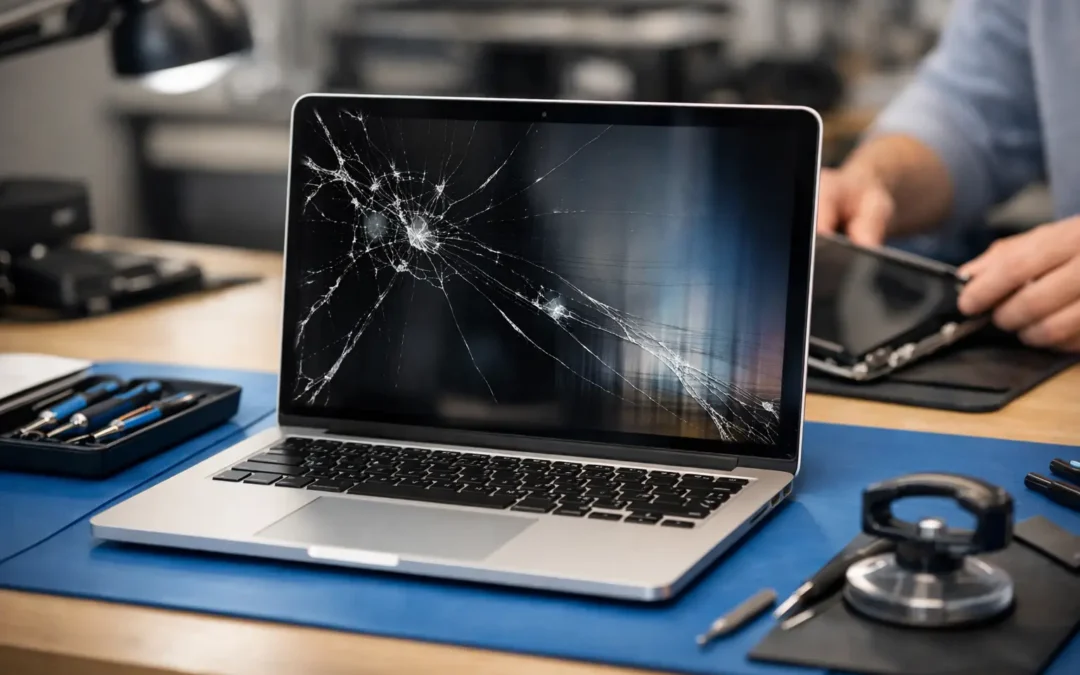
One bad close is all it takes. A pen left on the keyboard, a drop off the couch, or pressure inside a packed backpack can turn a perfectly good laptop into a MacBook with lines, black spots, flickering, or a completely dead display. If you need macbook screen repair, the big question is usually not just what broke. It’s how fast you can get back to work, school, or everything else you do on that laptop every day.
For most people, screen damage feels urgent because it is urgent. A cracked MacBook screen can make basic tasks frustrating or impossible, and waiting around for a vague repair timeline does not help. The good news is that many screen problems are repairable. The harder part is knowing whether you need a full display replacement, a cable repair, or a second opinion before you spend money.
When MacBook screen repair is actually needed
Not every display problem means the glass is the only issue. Sometimes the screen is visibly cracked. Other times the damage is harder to identify. You might see vertical lines, dim backlighting, dead areas on the panel, color distortion, ghosting, or a screen that works only at certain angles.
That last symptom matters. If your MacBook display cuts in and out when you open or close the lid, the problem may be tied to the display cable or hinge area rather than impact damage to the panel itself. On some models, that can look like a failing screen even though the issue is more specific. A good technician should test for that before quoting a full replacement.
Liquid damage can also create confusing symptoms. A small spill near the keyboard or hinge may affect the display, but the real damage could involve the logic board, connectors, or backlight circuit. In that case, macbook screen repair may be part of the fix, but not the whole story.
Common signs your MacBook screen is damaged
A clean diagnosis saves time and money. The most common signs include cracked glass, black blotches that spread, flickering, horizontal or vertical lines, backlight failure, and an image that appears only with a flashlight test. If the laptop powers on and you hear sounds but the display stays black, that does not automatically mean the whole machine is dead.
Another clue is whether an external monitor works. If your MacBook connects to an outside display and the image looks normal there, your data and core system may still be fine. That points more directly to the screen assembly or display-related components. It is not a perfect test, but it helps narrow the problem fast.
What usually causes a broken MacBook display
Physical pressure is one of the biggest causes. MacBook screens are thin, and it does not take much force to damage them. A charger block in the bag, a notebook pressed against the lid, or a child setting something heavy on top can cause internal cracks even when the outer glass looks mostly intact.
Drops are another obvious cause, but they are not the only one. Heat, hinge wear, liquid exposure, and previous low-quality repairs can all lead to display problems. We also see cases where customers think the laptop “just stopped working,” but the actual issue started with a minor impact days earlier. Display damage does not always show up right away.
How much macbook screen repair usually costs
This is where the answer depends on the model, the extent of damage, and whether the full display assembly needs replacement. A newer MacBook Air or MacBook Pro with a Retina or Liquid Retina display typically costs more to repair than an older non-Retina model. The parts are more expensive, and the repair is more exact.
In many cases, the screen assembly is replaced as a unit rather than repairing individual layers. That is often the most reliable option, but it does increase cost. If the issue is limited to a cable, connector, or backlight-related component, the repair may be less expensive. If liquid damage is involved, the total can go up because more than one part may need attention.
The best estimate comes after a model-specific inspection. That matters because two MacBooks can look similar and still use very different parts. A fast quote is helpful, but an accurate quote is better. If a shop gives you a one-price-fits-all answer without checking the model and symptoms, be careful.
How long does MacBook screen repair take?
For most customers, time matters as much as price. If your laptop is how you work, attend class, run your business, or manage your family schedule, you need a clear turnaround. Some repairs can be completed the same day if the correct part is in stock and there is no hidden board damage. Others may take longer, especially for newer models or less common screen sizes.
The honest answer is that speed depends on parts availability and diagnosis. A reputable local repair shop should be upfront about both. If the screen is the only issue, turnaround is usually much faster than customers expect. If there is impact damage around the housing, hinge, or internal board connections, extra time may be needed to make sure the repair holds up.
That is one reason many Houston customers prefer a local shop over a mail-in process. You get a real timeline, direct communication, and quicker decisions if the repair changes after inspection.
Should you repair the screen or replace the laptop?
This comes down to age, value, and how you use the MacBook. If the laptop is relatively current, runs well, and only has display damage, repair is often the smarter move. A screen replacement can restore full function for a lot less than buying a new MacBook.
If the machine already has multiple issues, like battery failure, liquid damage, keyboard problems, or major slowdowns, replacement may make more sense. The same is true if the repair cost gets too close to the device’s resale or replacement value. That is why honest guidance matters. You do not need a sales pitch when your screen is broken. You need a clear answer on whether the repair is worth it.
For some customers, the decision is not really financial. It is practical. They need the files, settings, apps, and workflow already on that machine. Even if a new laptop is an option, repair may still be the fastest path back to normal.
Why DIY MacBook screen repair is risky
MacBooks are not beginner-friendly when it comes to display work. The screens are delicate, the internals are compact, and one wrong move can turn a screen repair into a much bigger repair. It is easy to damage connectors, tear cables, strip screws, or create pressure marks during installation.
There is also the issue of part quality. Low-cost screens found online can lead to poor brightness, incorrect color, dead pixels, or shorter lifespan. Even if the laptop turns back on, the result may not feel like a real fix.
If you are experienced and working on an older model, DIY may be possible. For most people, though, the risk outweighs the savings. A professional repair gives you a clearer diagnosis, proper installation, and someone to stand behind the work.
What to look for in a local repair shop
Start with model experience. MacBook repairs are not the same as basic PC laptop repairs, and the shop should be comfortable identifying display assembly issues, cable faults, backlight problems, and damage related to impact or liquid exposure.
Next, look for speed and transparency. You should know what they found, what they recommend, how long it will take, and what the cost covers. That matters even more if the machine is needed for work or school.
Finally, local convenience is not a small detail. If you are in Houston and dealing with a cracked MacBook display, a nearby repair option with same-day availability can save more stress than people realize. Phone Repair Ambulance built its service around that exact problem: customers who need straightforward answers, fast turnaround, and repair help without bouncing around town or waiting on a shipping box.
Before you bring your MacBook in
If the screen still works at all, back up your data right away. If you can connect to an external monitor, that may give you enough access to save important files. If the MacBook suffered a drop or liquid exposure, stop using it until it is checked. Continuing to open, close, or charge a damaged machine can make things worse.
It also helps to note the exact model and the symptoms you are seeing. Did the lines appear after an impact? Does the image flicker only when the lid moves? Is there visible cracking, or just a black screen? Those details can speed up diagnosis.
A broken screen always feels like a major setback, but it does not always mean the end of the laptop. The right repair, done quickly and correctly, can turn a stressful day into a short detour instead of a total disruption.