
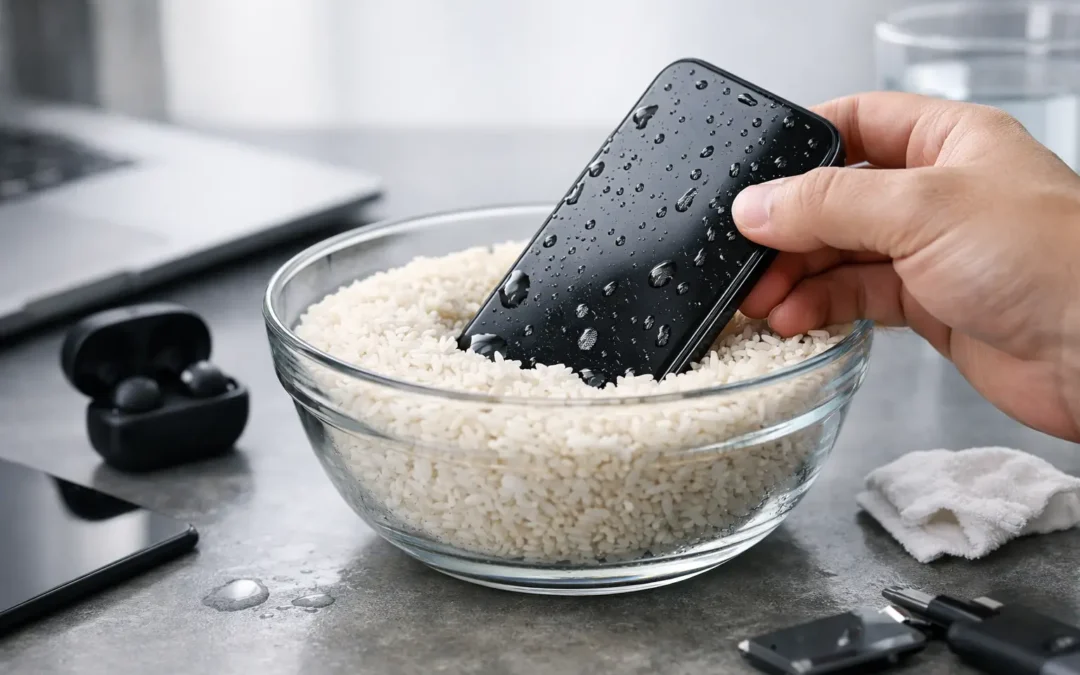
The moment your phone hits water, every second matters. If you’re searching for how to fix water damaged phone problems, the good news is this: quick action can make the difference between a simple recovery and a dead device.
Water damage is one of those problems people make worse without realizing it. They press buttons to check if the phone still works, plug it in “just for a second,” or leave it buried in rice and hope for the best. Sometimes a phone survives a splash on its own. Sometimes the real damage shows up hours later, after corrosion starts spreading inside the device.
How to fix water damaged phone: the first 10 minutes
Start by taking the phone out of the water immediately. If it’s plugged into a charger or connected to another device, disconnect it carefully. Then power it off right away. If the phone is already off, leave it off.
Next, remove anything you can safely take off – the case, SIM tray, memory card, and any accessories. Dry the outside with a clean towel or paper towel. Focus on blotting, not shaking. Shaking the phone can push moisture deeper into ports, speakers, and internal components.
If you can see water in the charging port or speaker openings, hold the phone so gravity helps it drain. Keep it upright or angled with the port facing down. That simple step can help prevent liquid from settling where it causes the most trouble.
What you should not do matters just as much. Do not charge the phone. Do not use a hair dryer on high heat. Do not microwave it, bake it, or try any social-media “hack” that adds more heat than control. Excessive heat can warp seals, weaken adhesive, and damage the battery.
What actually happens inside a wet phone
A lot of newer phones are marketed as water resistant, not waterproof. That rating helps with accidental splashes, but it is not a guarantee. Water resistance also weakens over time with drops, wear, heat, and previous repairs.
The main threat is not always the water itself. It’s the short circuit that can happen when power is still running through wet components, and the corrosion that can start after minerals and contaminants dry inside the phone. Clean tap water is one thing. Pool water, saltwater, coffee, soda, and soapy water are much worse because they leave residue behind.
That is why one phone may fall in a sink and recover, while another starts showing problems the next morning. Face ID may fail, the screen may flicker, charging may stop, or the battery may drain fast. Water damage is rarely one-size-fits-all.
The rice trick usually wastes time
Rice has stuck around because it sounds simple and cheap. The problem is that it does very little for moisture trapped inside a sealed phone. It may absorb some humidity around the device, but it does not clean residue or remove liquid from under shields and connectors.
It can also create a false sense of security. People wait a day or two, try turning the phone back on, and by then corrosion has had more time to spread. Dust or starch from rice can also get into ports. If rice is your only option for a few hours, it is better than leaving the phone soaking wet on a counter, but it should not be treated as a fix.
A better home step is placing the powered-off phone in front of a fan in a dry room. Gentle airflow helps more than a bowl of rice. Silica gel packs work better too, if you happen to have them. Even then, drying is only part of the job. If the liquid was dirty or the phone still acts strange, internal cleaning matters.
When you can safely wait and when you should get help now
If the phone had very brief contact with clean water, was turned off quickly, and shows no signs of trouble after drying, you may be okay. Still, caution is smart. Wait before charging it, and watch for delayed issues over the next day or two.
Professional help is the safer move when the phone was submerged, the liquid was anything other than clean water, or the device starts acting differently. Warning signs include a black or flickering screen, muffled speakers, overheating, no charging, random restarts, camera fog, or a phone that powers on and off by itself.
Battery behavior is especially important. If the phone gets hot, swells, smells unusual, or the back glass starts lifting, stop using it. A compromised battery is not a DIY project.
How a repair shop handles water damage
A proper water-damage inspection is more than drying the outside and hoping for the best. A technician typically opens the device, disconnects the battery, checks for liquid indicators, inspects connectors and board-level components, and cleans corrosion from affected areas.
In some cases, the phone only needs internal cleaning and a few replacement parts, such as a charging port, screen, speaker, or battery. In more serious cases, the motherboard may need advanced work to recover the phone or at least save the data. That is one reason speed matters. The sooner the device is inspected, the better the odds of limiting corrosion.
For people in Houston, this is where a local, same-day repair option makes a real difference. Waiting on a mail-in repair while your phone sits wet is not ideal when your work, school, banking, photos, and family contacts are all tied to that device.
Can you fix a water damaged phone at home?
Sometimes, partly. If your goal is basic first aid, yes. You can remove the phone from water, power it down, dry the exterior, and let airflow do its job. Those steps help.
If your goal is a real repair, it depends on the severity. Modern phones are tightly sealed, packed with delicate components, and often require specialty tools just to open safely. Even if you get inside, improper handling can tear flex cables, damage the battery, or reduce the phone’s water resistance even more.
The bigger issue is diagnosis. A phone may look dry and still have corrosion under metal shields or around tiny board connections. That is not something most people can spot on a kitchen table.
The biggest mistakes people make after water exposure
The first mistake is turning the phone back on too soon. People want reassurance, but testing a wet phone can cause the exact short you’re trying to avoid.
The second is plugging it in. Charging introduces power into a device that may still have moisture in the port or on the board. That can turn a recoverable phone into a much more expensive repair.
The third is assuming “water resistant” means safe. It helps, but it is not absolute. A cracked screen, worn seal, or previous drop can change everything.
The fourth is waiting too long because the phone seems fine at first. Delayed damage is common, especially with saltwater, sugary drinks, or dirty water.
What to do if your phone turns on after getting wet
That is encouraging, but do not assume the problem is over. If it powers on, back up your data as soon as possible without charging it unless you’re sure the port is dry and the device is stable. Watch for signs like screen discoloration, touch issues, muffled audio, weak signal, or battery drain.
If anything seems off, get it inspected. A phone that turns on today can fail tomorrow if corrosion is already forming. Early cleaning can stop that from becoming a board-level failure.
The bottom line on how to fix water damaged phone issues
Fast action gives you the best chance. Turn it off, keep it off, dry the outside, avoid heat and charging, and do not count on rice to solve internal damage. If the exposure was more than minor, or the phone shows even small symptoms afterward, professional cleaning and inspection are usually the smarter move.
At Phone Repair Ambulance, we see this every day: phones that could have been saved with quick action, and phones that got worse because someone waited too long or tried the wrong fix first. If your phone has been exposed to water, the best next step is the one that protects your data, your device, and your time – get it looked at before a temporary problem turns permanent.