
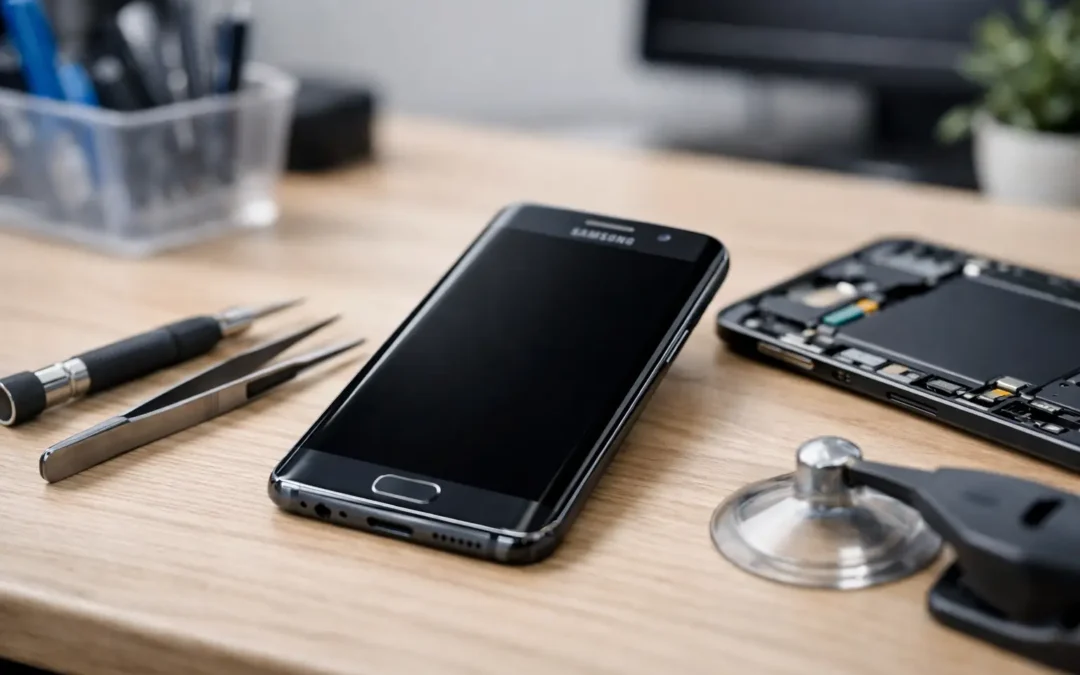
A Samsung phone can look completely dead while it is still receiving calls, vibrating, charging, or making notification sounds. That difference matters. The right Samsung black screen repair options depend on whether the display has failed, the phone has lost power, software has frozen, or moisture has damaged an internal component.
If your phone is your work line, school device, navigation tool, or connection to family, guessing is frustrating and costly. Start with a few safe checks. If the screen stays black, a local diagnostic can identify the actual failure before you spend money on the wrong repair.
First, tell the difference between a black screen and a dead phone
A black display does not automatically mean the whole phone is dead. Plug it into a known-good charger and cable for at least 30 minutes. Watch for vibration, charging sounds, LED activity on older models, warmth near the charging port, or incoming calls. Ask someone to call your number. If the phone rings or vibrates but you cannot see anything, the display assembly is the most likely issue.
If nothing happens at all, the problem may be a drained or failed battery, charging port damage, a bad cable or adapter, software trouble, or internal board damage. A hard impact and water exposure make physical damage more likely, even if the glass is not cracked.
Do not keep forcing a phone to charge if it was recently exposed to water, a spilled drink, heavy rain, or humidity. Turn it off if possible, remove the case, and get it inspected. Power moving through a wet device can turn a repairable problem into corrosion and more serious damage.
Safe checks to try before arranging a repair
A frozen Samsung can sometimes recover with a forced restart. Hold the Side button and Volume Down button together for about 10 to 20 seconds. Release them only when the Samsung logo appears. This does not erase your photos, messages, or apps.
Next, try a different outlet, cable, and charging block. Cables fail more often than people expect, and lint packed into the USB-C port can prevent a solid connection. Do not dig into the port with a pin, knife, or metal tool. That can bend internal contacts and create a second repair issue.
If your model supports wireless charging, test it on a working wireless charger. A phone that charges wirelessly but not through the port may have a port-related issue. That is useful information for a technician, but it is not a complete diagnosis.
You can also connect the phone to a computer or a TV-compatible display setup if you already have the right equipment. If the device is recognized or an external display works, your data may still be accessible even though the phone screen is not. Avoid factory-resetting a phone just because the display is black. A reset can erase the data you were trying to save, and it will not fix a broken OLED panel, battery, or charging port.
Samsung black screen repair options, based on the cause
Display replacement for cracked, flickering, or unresponsive screens
A screen replacement is usually the answer when the phone turns on but the display stays black, flashes green or white, shows ink-like spots, has lines running through it, or no longer responds to touch. On many Samsung models, the OLED display, touch layer, and front glass function as one assembly. Even a small drop can damage the panel underneath unbroken glass.
A qualified technician replaces the damaged display assembly and tests brightness, touch response, fingerprint functions where applicable, cameras, speakers, charging, and basic network operation. The exact part and price depend on the model. A Galaxy S Ultra, Z Fold, or Z Flip uses a different display system than an entry-level Galaxy A phone, and foldable repairs require extra care because of their flexible panels and hinges.
The trade-off is straightforward: a quality screen repair restores usability quickly, but very old or heavily damaged phones may not be worth a premium display investment. A clear quote after inspection helps you compare repair cost with the current value of the device.
Battery or charging repair when the phone will not power on
If there are no signs of life after using known-good charging equipment, a worn battery or charging failure may be behind the black screen. Batteries can degrade gradually, but they can also fail after heat exposure, a hard drop, or age. A swollen battery needs immediate professional attention. Do not press on the screen or continue charging a device that appears swollen, separated at the seams, or unusually hot.
Charging-port repairs are another possibility, especially when the cable only works at a certain angle or the port feels loose. A technician should inspect the port for debris, corrosion, broken pins, and charging-board damage before recommending a replacement. Replacing a battery when the port is the real problem wastes time and money.
Software recovery when the phone is powered but frozen
A failed update, app conflict, storage problem, or operating-system crash can occasionally leave a Samsung phone stuck on a black screen or logo. If a forced restart works but the problem returns, professional software diagnostics may be needed.
Software recovery can be less expensive than hardware work, but it comes with a data consideration. Some recovery procedures may require a reset if the phone cannot boot normally. A good repair shop should explain that risk before proceeding and use the least destructive option first. If the phone becomes usable again, back it up right away rather than waiting for the next crash.
Water-damage treatment when moisture is involved
Water damage is not a single repair. A phone may have a black screen because moisture damaged the display, battery connection, charging circuit, or board. Damage can also worsen over time as corrosion spreads, which is why a phone that works briefly after getting wet can fail days later.
Skip the rice. Rice does not remove corrosion, and it can leave dust in the charging port. Do not use a hair dryer, oven, or direct heat. Heat can damage batteries, screens, adhesives, and seals. The best move is prompt inspection, careful internal cleaning when appropriate, and component-level testing to determine what can be saved.
Board-level repair or replacement when the issue is deeper
When a Samsung has no display, no charging response, and no successful power test after a drop or liquid exposure, the issue may involve the motherboard or power-management circuitry. This is the most complex repair path and may not be the best financial choice for every phone.
Board-level work can make sense when the device is newer, contains important unbacked-up data, or costs far more to replace than to repair. If the repair cost approaches the value of a replacement device, ask about trade-in or buyback options. The practical answer is not always “repair everything.” It is choosing the option that gets you reliably connected again.
What a professional diagnosis should include
A black screen is a symptom, not a diagnosis. Before authorizing work, you should know whether the phone powers on, whether it accepts a charge, whether the display itself has failed, and whether liquid or impact damage is present. The technician should also check for multiple issues. For example, a dropped phone can have both a damaged screen and a weakened battery connector.
Bring the phone, its passcode if you are comfortable providing it for testing, and any details about what happened immediately before the screen went black. Mention a recent drop, an update, charging problems, water exposure, overheating, or screen flickering. Those details shorten the diagnostic process and help protect your data.
Ask about part quality, warranty coverage, estimated turnaround time, and whether the repair affects water resistance. Opening a phone can affect its original seal, particularly after screen or back-glass work. A reputable shop will be direct about that rather than promising the device will be exactly as it was when it left the factory.
When to repair, replace, or recover your data first
Repair is often the right choice for a newer Samsung with a single failed component, especially if the phone otherwise performs well. A display or battery repair can extend the life of a device you already know and rely on. It also keeps a usable phone out of the waste stream.
Replacement may make more sense if the phone has extensive frame damage, repeated water exposure, multiple failing components, or an older model with a repair quote close to replacement cost. If your main concern is family photos, work files, or messages, data recovery should be part of the conversation before any reset or replacement decision.
For Houston customers who need an answer quickly, Phone Repair Ambulance can inspect the device, explain the realistic repair path, and help you avoid paying for a fix that does not match the problem. A black screen is stressful, but it does not have to mean your Samsung – or the information on it – is gone.