
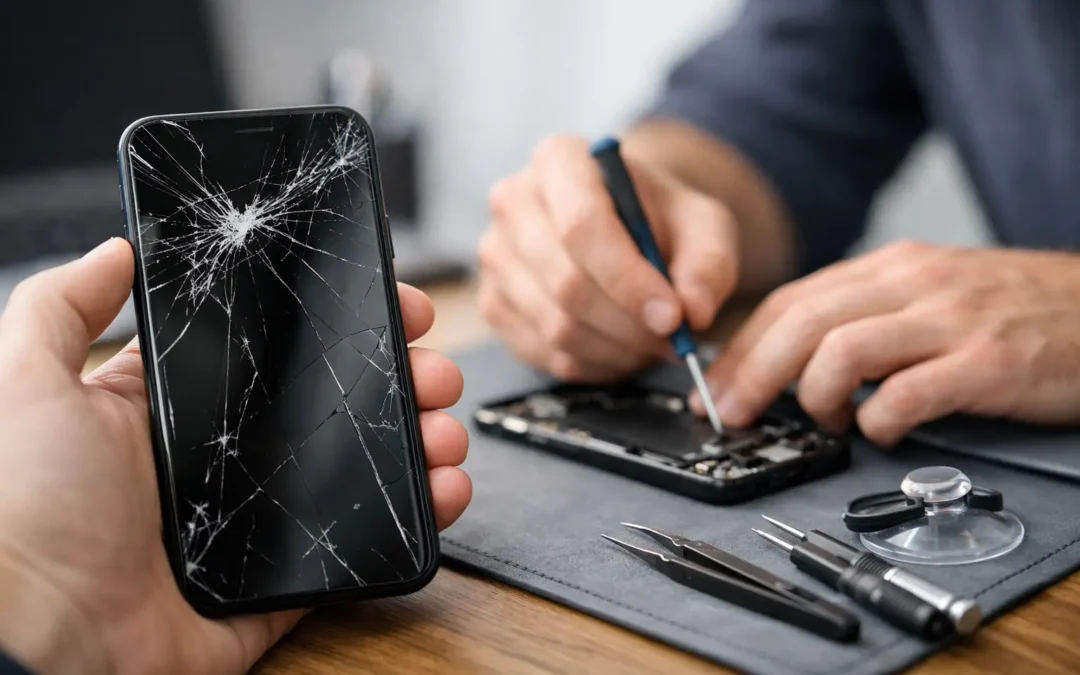
A cracked screen changes how you use your phone immediately. The sharp edge catches your thumb, a hairline crack spreads across a text message, and suddenly you are worried about dropping it again. If you are searching for how to fix cracked phone screen damage, start by separating a cosmetic crack from a screen that could fail without warning.
A screen repair is often faster and less expensive than replacing a phone, especially when the device still has years of useful life left. But not every crack calls for the same response. The right move depends on whether the display, touch function, frame, and water resistance are still intact.
First, Check Whether the Damage Is Only Surface-Level
Look closely at the phone under good light. If the glass has a small crack but the picture is clear, touch works everywhere, and there are no dark spots or flashing lines, the damage may be limited to the outer glass. It still needs attention, but you may have a little time to decide on repair.
A damaged screen needs prompt service when you see black blotches, colored lines, flickering, dead areas, or a display that stays black. Those signs usually mean the screen panel underneath the glass has been affected. On many current iPhone and Samsung models, the glass, display, and touch components are closely bonded together. In practical terms, replacing only the top glass is not usually the dependable fix.
Also check the edges of the phone. If the frame is bent, separating, or dented near the crack, the device may not sit correctly with a new screen until the frame issue is addressed. A repair technician can inspect this before installing a replacement.
How to Fix Cracked Phone Screen Damage Safely
For most people, the real fix is professional screen replacement. A trained technician removes the damaged screen, checks for frame and internal damage, installs a compatible replacement part, and tests the display, touch response, cameras, speakers, charging, and face or fingerprint features where applicable.
That approach matters because a phone screen is not just a sheet of glass. It is part of a connected system that handles touch input, brightness, display color, proximity sensing, and sometimes biometric security. A repair that looks fine but leaves dead touch zones or unreliable brightness is not a good repair.
If you cannot get the phone repaired immediately, cover the cracked area with a quality screen protector or clear packing tape as a short-term safety measure. This can reduce the risk of glass splinters and keep loose fragments from falling out. It will not stop an existing crack from spreading, restore water resistance, or repair a damaged display underneath.
Avoid pressing hard on the crack, putting the phone in a tight pocket, or exposing it to heat. Pressure and heat can turn a small fracture into a larger display failure. Keep the device away from water as well. Even phones that were originally water-resistant can lose that protection after the screen or frame is damaged.
What Not to Do With a Broken Screen
DIY repair videos make screen replacement look simple. Some older phones are more forgiving, but modern devices often use strong adhesive, fragile cables, tiny screws, and components that are easy to damage. The cost of a repair kit can seem attractive until a battery is punctured, a cable is torn, or the replacement screen has poor color and touch response.
Do not use super glue, nail polish, resin, or liquid glass products to fill a crack. These products do not repair the display. They can seep into buttons, speakers, cameras, or ports, make a later professional repair harder, and leave a cloudy finish over the screen.
It is also wise to skip low-cost, unknown replacement parts when quality matters. A weak aftermarket screen may have lower brightness, inaccurate colors, less durable glass, reduced touch sensitivity, or faster battery drain. The cheapest option is not always the most affordable once you have to repair it again.
Back Up Your Phone Before Repair
If your screen still turns on and responds, back up your data before any repair appointment. Use your phone’s cloud backup option or transfer important photos, contacts, messages, and work files to a computer. Repairs are designed to preserve your information, but a backup gives you control if the damage gets worse or the phone has an unrelated issue.
If the display is black but the phone still powers on, do not assume your data is gone. A technician may be able to install a working screen so you can access the device and complete a backup. This is particularly useful for phones holding family photos, school assignments, two-factor authentication apps, or business contacts.
Before handing over your device, know your passcode if possible. Many phones require it after a repair to test touch functionality, cameras, and other features. You should never share account passwords unnecessarily, and you can remove payment cards or use a temporary device passcode if that makes you more comfortable.
When Screen Repair Makes More Sense Than Replacement
Replacing the phone can be the right choice when it is very old, repeatedly failing, badly bent, or facing several expensive repairs at once. But a single cracked screen does not automatically make a phone disposable.
Repair is usually the better value when the phone is otherwise reliable, receives current software updates, has good battery life, and meets your daily needs. It can keep you from moving data, learning a new device, buying accessories again, and paying for a replacement before you are ready.
For a newer iPhone, Samsung Galaxy, tablet, or work device, quick screen repair can also prevent downtime. Waiting for a mail-in process may not work when your phone is your camera, navigation system, work line, school tool, and connection to family. Same-day local service is often the practical answer when time matters as much as price.
What to Expect From a Professional Screen Repair
A dependable repair starts with an inspection, not a guess. The technician should confirm the model, assess the visible damage, test the display and touch functions, and let you know if there are signs of additional damage. You should receive a clear quote before work begins.
Turnaround time depends on the model and part availability. Many common iPhone screen repairs can be completed quickly, while certain newer devices, curved displays, foldable phones, tablets, and phones with frame damage may need more time. Ask about the replacement part quality, warranty coverage, and whether the repair includes function testing.
For Houston customers who need their phone back without a long delay, Phone Repair Ambulance offers local repair options built around speed and convenience, including same-day service for many common issues. A cracked display should not force you to put work, school, or family communication on hold for days.
Protect the New Screen After the Repair
Once the screen is repaired, add a tempered-glass protector and a case with raised edges around the display. Neither product makes a phone indestructible, but together they absorb much of the impact from common drops. A case with grip can be especially helpful if you carry your phone while commuting, working outdoors, or managing kids and groceries.
Treat a new screen as a chance to check the rest of the device, too. Clean debris from the charging port, update the operating system, review your backup settings, and watch for a battery that drains unusually fast. Small maintenance steps can stretch the useful life of a phone well beyond one accident.
A cracked screen is frustrating, but it does not have to become a lost weekend or an expensive phone replacement. Protect the damaged area, back up what you can, and get a clear assessment before the crack has a chance to spread into a bigger problem.