
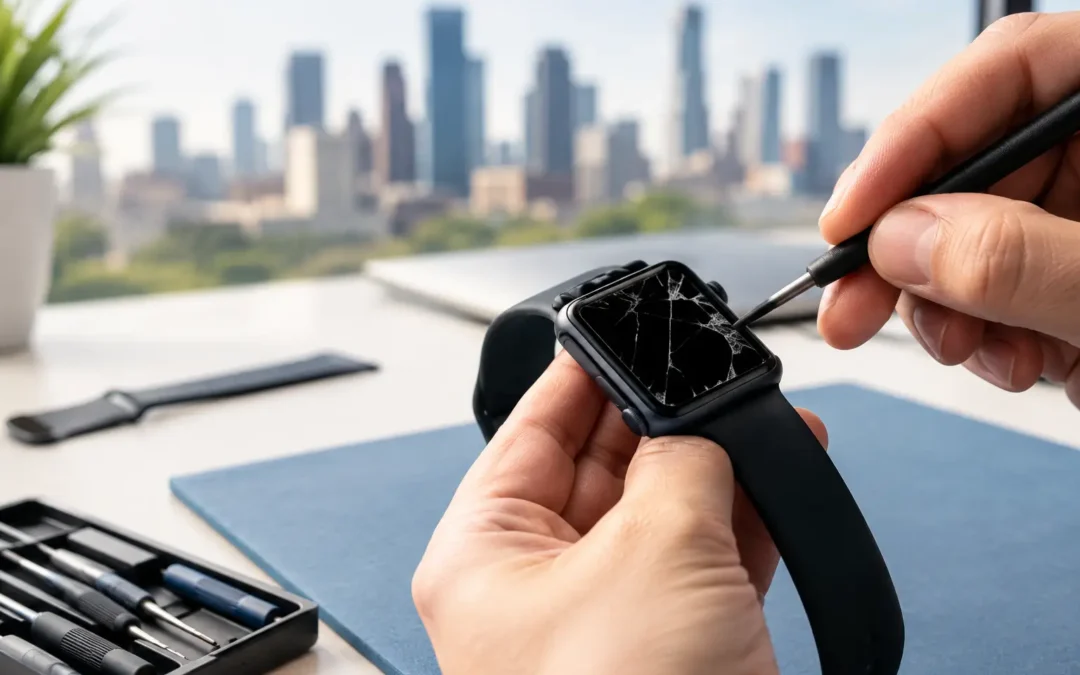
A cracked Apple Watch is easy to ignore until a swipe stops working, moisture reaches the display, or a small chip becomes a sharp edge on your wrist. If you are searching for iwatch screen repair, the real question is not just whether the glass is broken. It is whether the watch is still safe, usable, and worth repairing before the damage spreads.
Apple Watch screens are compact, curved, and closely integrated with the display underneath. That means a repair is different from replacing a basic phone screen protector or covering a crack with tape. A local technician can inspect the damage, explain what is affected, and help you make the fastest practical decision.
When Does an Apple Watch Screen Need Repair?
Not every mark on an Apple Watch calls for immediate service. A light scratch that does not affect visibility or touch response may be mostly cosmetic. A crack, deep gouge, lifted glass edge, black spot, flickering image, or unresponsive area is different. Those signs can mean the display assembly has been damaged, not just the outer surface.
If the watch still turns on and responds normally, you may have more options. If the display is black, shows colored lines, has dead touch areas, or separates from the case, do not keep pressing it or wearing it during workouts. Pressure and sweat can make a damaged screen worse.
Water resistance is another concern. Apple Watches are built with seals, but a cracked screen can compromise the barrier that keeps moisture out. Do not assume a watch remains water-resistant after impact damage, even if it appears to work. Avoid swimming, showering, and high-humidity exposure until a technician has assessed it.
What Happens During iWatch Screen Repair?
A proper inspection starts with more than the visible crack. A technician should check the display brightness, touch response, charging function, side button, Digital Crown, sensors, and overall condition of the housing. A hard drop can damage components inside the watch even when the screen is the only obvious issue.
For many Apple Watch models, screen service involves replacing the display assembly rather than only changing the top glass. This matters because the glass, OLED or LCD display, and touch layer are tightly bonded. Trying to separate only the cracked glass can create new problems, including weak touch response, display discoloration, or reduced durability.
The exact repair approach depends on the watch model, the extent of damage, and parts availability. Older models and watches with simple screen damage may be more straightforward to service. Newer models, larger case sizes, cellular versions, and watches with additional internal damage can require a more detailed evaluation.
A good repair experience should feel clear from the start. You should know what is damaged, what work is recommended, the expected turnaround time, and whether the repair makes financial sense. If there is a concern about battery swelling, liquid exposure, or frame damage, that should be addressed before any screen replacement begins.
Screen Repair Cost Depends on More Than the Crack
There is no one-size-fits-all Apple Watch repair price. The model is a major factor because screen size, display technology, and component availability vary. Series, case material, GPS or cellular capability, and the condition of the housing can all affect the quote.
The type of damage matters just as much. A front-glass crack on a watch that displays a clean image may require different work than a watch with a blank screen, failing touch controls, or visible internal damage. If the watch was dropped hard enough to bend the frame or loosen the display, a screen-only repair may not be the complete solution.
For an older watch, it is also reasonable to compare the repair cost with the device’s current value. Repair is often the better choice when the watch is otherwise reliable, paired to your iPhone, and still meets your needs for calls, fitness tracking, notifications, or family safety features. If the repair cost approaches the value of a replacement, a trade-in or device upgrade may be worth considering instead.
The fastest way to get a useful quote is to provide the model, case size, and a clear description of what happened. Mention whether the watch powers on, charges, responds to touch, or has been exposed to water. That information helps avoid surprises when the device is inspected.
Do Not Rely on a Screen Protector to Fix Damage
A screen protector can be a smart preventative accessory, but it cannot restore a cracked display. It may cover a rough edge temporarily and reduce the chance of catching the crack on clothing, yet it does not reseal the watch or repair the touch layer underneath.
Avoid applying glue, liquid glass products, adhesive tape, or household sealants to a cracked Apple Watch. These quick fixes can seep into openings, make a professional repair harder, and interfere with the display. They can also trap moisture against an already compromised screen.
If the crack is sharp, place the watch somewhere safe and avoid wearing it until you can have it checked. If you need to keep it on for essential notifications, use it gently and keep it dry. Do not press hard on the damaged area or attempt to pry up loose glass.
Protect Your Data Before Service
Your Apple Watch stores health information, settings, messages, and app data through its connection to your iPhone. Before bringing it in, make sure your paired iPhone has completed a recent backup. The Apple Watch backup is generally created as part of the iPhone backup process, particularly when you unpair the devices.
If the watch is still functional, take a moment to confirm your passcode and Apple Account details are available. You may be asked to remove Activation Lock or unpair the watch before certain service options can move forward. This protects your personal information and confirms ownership.
If the display is too damaged to operate, do not repeatedly force restarts or attempt to open the watch yourself. A technician can assess the condition and explain the next step. The goal is to protect the device and avoid turning a screen issue into a data or charging issue.
Choosing a Local Apple Watch Repair Option
Speed matters when your watch is part of your workday, workouts, school routine, or family communication. But fast service should still include a real assessment. Ask whether the quote is based on your specific model, whether the screen assembly is being replaced, and what testing is performed after the repair.
Local service also gives you a practical advantage: you can speak with a technician, show the exact damage, and get answers without mailing your watch away and waiting days for an update. For Houston customers, Phone Repair Ambulance can evaluate eligible Apple Watch screen damage alongside the phones, tablets, and computers that keep daily life moving.
Be cautious with any repair promise that sounds identical for every watch and every crack. Parts availability, hidden damage, and model differences can change the timeline. A dependable shop will tell you what can be done quickly and what needs a closer look.
Can a cracked Apple Watch screen get worse?
Yes. Everyday movement puts pressure on the watch face, and small cracks can spread after another bump, temperature change, or exposure to moisture. Repairing it before the display fails completely can help prevent added damage.
Will my Apple Watch be water-resistant after repair?
Water resistance depends on the model, the damage, the repair method, and the condition of the seals. A cracked watch should not be treated as water-safe. Ask the technician directly about post-repair water-resistance expectations for your device.
Is it worth repairing an older Apple Watch?
It depends on the model, battery condition, repair quote, and how you use it. If it is still reliable and does what you need, repair can extend its life. If it has battery trouble, outdated software support, or major frame damage, replacing or trading it in may be the better value.
A cracked watch face does not have to become a dead watch. Get the damage checked early, keep the device dry, and choose the option that gets you back to using your Apple Watch with confidence instead of working around a problem on your wrist.