
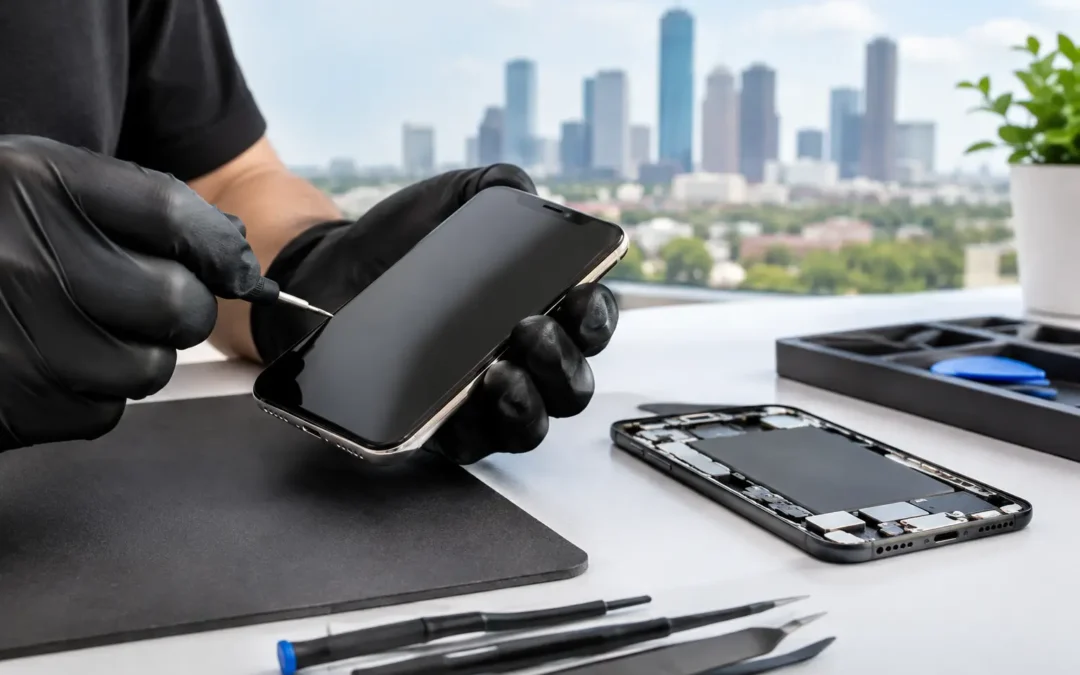
A cracked screen is easy to see. The damage behind it is not always as obvious. If your display is flickering, showing black spots, missing touch response, or flashing lines, iPhone LCD screen repair may be more urgent than it looks. Your phone is your work line, map, camera, school tool, and connection to family. Waiting for a screen issue to get worse can turn a quick repair into a bigger interruption.
For Houston users, the goal is simple: get a clear answer, a quality replacement, and your phone back fast. Here is how to tell what kind of damage you have and what to expect from a professional repair.
Is It Glass Damage or a Display Problem?
Not every cracked iPhone needs a full display replacement. A crack limited to the outer glass may leave the image and touch controls working normally. Even then, broken glass can be sharp, collect moisture and debris, and weaken the screen further after the next drop.
A display problem goes deeper. Common warning signs include a black or blank screen while the phone still powers on, colored or white lines, dark ink-like blotches under the glass, flickering brightness, or touch areas that stop responding. A screen that starts tapping or opening apps by itself also needs attention quickly. That behavior, often called ghost touch, can lock you out after too many incorrect passcode attempts.
The term “LCD screen” is widely used for iPhone displays, but the exact screen technology depends on your model. Many older iPhones use LCD panels, while many newer models use OLED displays. The right repair is not about using a generic label. It is about matching the correct part and repair process to your specific iPhone.
Why iPhone LCD Screen Repair Should Not Wait
A damaged display can keep working for days or weeks, but there is no reliable schedule for when it will fail. One small crack can spread after pressure in a pocket, a hot car, or another minor bump. Once the display is compromised, moisture and dust have more opportunities to enter through the damaged area.
There is also the practical cost of being without your phone. If you use your iPhone for two-factor authentication, client calls, rideshare apps, payment apps, or school assignments, a screen failure can stop your day cold. Repairing the display while the phone is still functional gives you a better chance to back up important information first.
That does not mean every hairline crack is an emergency. If the glass is smooth, touch works across the screen, and the image is stable, you may have time to plan the repair. Use a case and screen protector in the meantime, but do not treat them as a permanent fix for broken glass.
What a Quality Screen Repair Includes
A dependable repair starts with a quick diagnosis. A technician should confirm whether the problem is the screen assembly itself or whether a drop has also affected the frame, battery, camera, charging port, or internal connectors. Replacing a screen will not solve a phone that has separate impact damage.
During a standard repair, the damaged display assembly is carefully removed and a compatible replacement is installed. The technician then tests touch response, screen brightness, colors, cameras, earpiece function, sensors, and overall operation before returning the phone. This final testing matters. A screen that lights up is not necessarily a screen that performs correctly across every part of the display.
Part quality is worth discussing before the work begins. Lower-cost aftermarket parts can be a reasonable choice for some customers, especially on an older phone they plan to replace soon. However, they can vary in brightness, color accuracy, durability, touch feel, and battery impact. Higher-quality replacement options generally provide a closer match to the original experience, but the right choice depends on your model, budget, and how long you expect to keep the phone.
A professional shop should explain those options plainly rather than pushing a one-size-fits-all answer.
Face ID, True Tone, and Screen Messages
Customers often worry about features after a screen repair, and that is a fair question. Newer iPhones are tightly integrated devices. Depending on the model, a replacement screen may trigger a display-related notification in Settings, and some screen-specific calibration features may need additional service steps.
Face ID is separate from the display, but it relies on delicate components near the top of the phone. That is one reason careful repair matters. Do not assume a screen replacement automatically affects Face ID, and do not accept vague answers if that feature is already not working. Ask for a diagnosis before the repair begins.
True Tone availability and display messages can also vary by model, replacement part, and repair process. A reputable local technician will set expectations upfront instead of promising that every result will be identical across every iPhone generation.
How Long Does Screen Repair Take?
For many common iPhone models, a professional screen replacement can be completed the same day, often far faster than mailing a device away or waiting for an appointment days from now. Phone Repair Ambulance is built around that urgency, with eligible iPhone repairs commonly completed in about 15 minutes and mobile service available for customers who need help at home, work, or another Houston-area location.
Timing still depends on the phone model, parts availability, the extent of the damage, and whether the frame is bent or other components need attention. An iPhone that was run over, exposed to water, or badly bent deserves more than a rushed screen swap. In those cases, a little extra diagnostic time protects you from paying for a repair that does not address the whole problem.
Before You Bring in Your iPhone
If the display still works, back up your iPhone before any repair. Use iCloud or a computer, whichever you normally trust. Screen repairs are designed to preserve your data, but a backup is the right habit whenever your device has suffered physical damage.
You should also know your passcode. Technicians may need it for post-repair testing, though you should never share account passwords or disable security permanently. If you use Find My, follow the repair provider’s instructions about whether it needs to be turned off. Removing a bulky case before the visit can also make check-in faster.
If your screen is completely black but the phone still rings or vibrates, do not keep pressing the display at random. Bring it in for testing. The issue may be limited to the screen, and restoring the display may give you access to everything again.
When Replacement Makes More Sense Than Repair
Screen repair is usually the smart move when the rest of the iPhone is in good shape. But if the phone has a failing battery, serious water damage, a bent frame, weak charging, or repeated hardware problems, it is worth comparing repair cost with the phone’s current value and replacement options.
This is especially true for older models. Sometimes repairing a screen is the fastest and most affordable way to stay connected. Other times, a trade-in or replacement device is the better long-term decision. The best repair shop will help you understand the difference without making the decision for you.
A broken iPhone screen should not force you into a week without your phone or a confusing mail-in process. Get the damage checked while it is still manageable, choose a repair option that fits your model and budget, and get back to your calls, messages, work, and Houston day with a screen you can trust.