
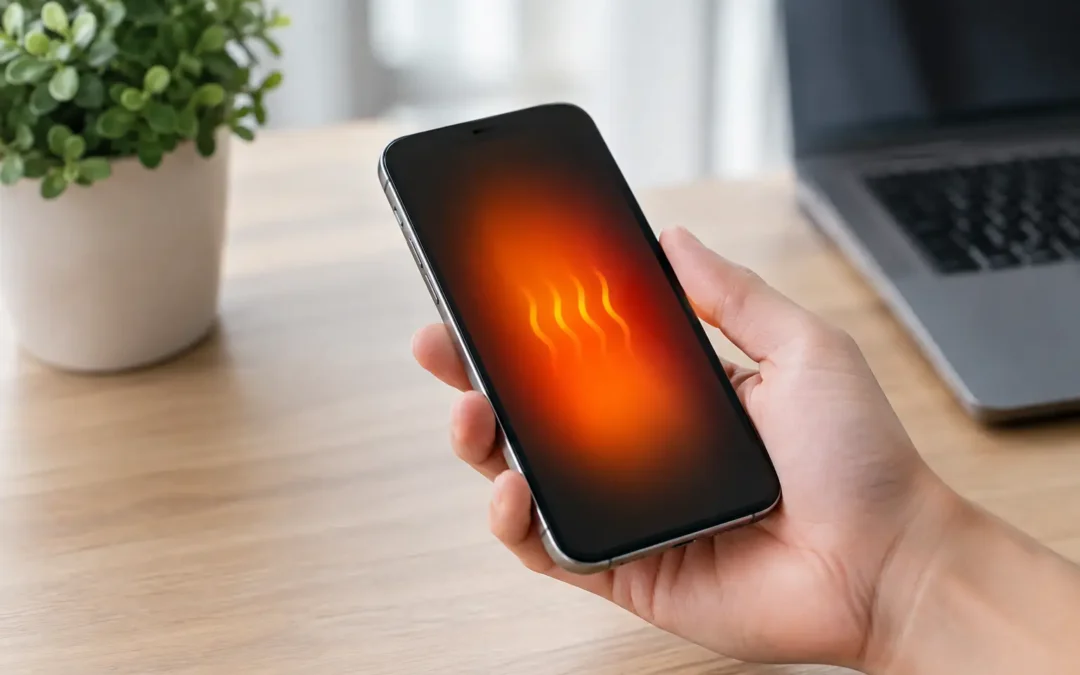
Your phone gets hot during a video call, then suddenly dims the screen, slows down, or stops charging. That is more than an annoyance when you need directions, work access, school messages, or a way to reach family. Phone overheating causes range from normal temporary strain to a failing battery or internal damage that needs attention quickly.
A warm phone is not always an emergency. A phone that repeatedly becomes too hot to hold, displays a temperature warning, shuts down, or heats up while doing almost nothing is different. The key is knowing when to cool it down, when to change your habits, and when to get a trained technician involved.
Common Phone Overheating Causes
Phones produce heat whenever they work. The processor, battery, display, cellular radio, camera, and charging system all create some warmth. Modern phones are designed to manage that heat, but they can only do so much when several demanding tasks happen at once or when heat cannot escape.
Heavy apps and too many tasks running
Gaming, navigation, video streaming, video calls, mobile hotspot use, and high-resolution camera recording can push a phone hard. A 4K video recording session in the Houston heat is especially demanding because the processor and camera are working while the phone is already surrounded by high temperatures.
It can also happen when an app freezes or runs in the background continuously. If your phone gets hot even when it is in your pocket or sitting on a desk, check which apps are using the most battery. Close apps you do not need, restart the phone, and install available app and system updates.
Direct sun, hot cars, and blocked airflow
Leaving a phone on a dashboard, by a pool, near a window, or in a parked vehicle can raise its temperature fast. A car interior can become much hotter than the outside air, even on a day that does not feel extreme. Do not leave your phone in the glove box either. It still gets hot there.
Thick cases can hold heat in during charging or intense use. A case is not usually the root problem, but removing it for a few minutes can help a phone cool down. This matters most with heavy-duty cases, wireless charging pads, and long gaming or navigation sessions.
Charging problems
Charging naturally creates some heat, particularly with fast charging and wireless charging. But a phone should not become painfully hot every time it charges. A damaged cable, worn charging port, low-quality power adapter, or incompatible charger can make the problem worse.
Use a reputable charger made for your phone model. If the cable is frayed, the connector feels loose, or charging cuts in and out, stop using that accessory. A loose connection can create excess heat and may damage the charging port over time.
Wireless charging has a trade-off: it is convenient, but it generally runs warmer than wired charging. If your phone overheats on a wireless pad, move to a certified wired charger and see whether the issue changes.
Weak signal and constant network searching
A phone in a poor-service area works harder to stay connected. It may repeatedly search for a cellular signal, switch between towers, or struggle to send data. This can drain the battery and make the device warmer, especially during a commute, at a crowded event, or inside a building with weak reception.
If heat appears when service is poor, turn on Airplane Mode for a short time if you do not need connectivity. You can also connect to stable Wi-Fi when available. If the issue persists in strong-signal areas, the problem may be related to the battery, software, or internal hardware instead.
Battery wear, damage, or swelling
Older lithium-ion batteries can become less stable as they wear down. A failing battery may drain unusually fast, heat up while charging, cause random shutdowns, or make the back of the phone feel warm even during light use.
Pay attention to physical changes. A lifting screen, separated back cover, bulge in the device, or a phone that no longer sits flat may indicate a swollen battery. Stop charging and using it right away. Do not press the screen back down, puncture the device, or try to remove the battery yourself.
Water damage and internal component failure
Water exposure can cause overheating immediately or weeks later. Even if a phone powers on after getting wet, moisture can corrode internal components and create electrical issues. Heat after a spill, rain exposure, a dropped phone in the sink, or humidity damage deserves a professional inspection.
The same is true after a hard drop. Internal connectors, the charging assembly, battery, or motherboard can be damaged without visible cracks on the outside. If overheating began after impact, do not assume a software reset will solve it.
What to Do When Your Phone Gets Too Hot
Start by stopping the activity that is generating heat. Close demanding apps, disconnect the charger, take off the case, and move the phone out of direct sunlight. Set it on a cool, dry surface and let it rest. If it shows a temperature warning, give it time before trying to use it again.
Do not put your phone in a refrigerator, freezer, or on an ice pack. Sudden temperature changes can create condensation inside the device, which can lead to more serious damage. Avoid placing it in front of an air-conditioning vent if moisture is collecting nearby. Room-temperature air and patience are safer.
If the phone is still responsive, lower the screen brightness, turn off Bluetooth and location services if they are not needed, and switch off mobile data or use Airplane Mode temporarily. Restarting the phone can stop a stuck process that is consuming power in the background.
A phone that is hot while charging should be unplugged until it cools. Inspect the cable and adapter before trying again. Never charge a phone under a pillow, blanket, couch cushion, or stack of papers. Those surfaces trap heat and can turn a small issue into a safety risk.
When Overheating Means You Need a Repair
One warm day after using GPS for an hour is usually manageable. Repeated overheating is not something to ignore, especially when it happens during normal tasks like texting, browsing, or charging.
Get the device checked if you notice any of the following:
- Temperature warnings that return after the phone has cooled down
- Rapid battery drain, unexpected shutdowns, or charging that repeatedly fails
- A swollen battery, lifted screen, bent frame, or hot spot near the battery
- Heat that began after water exposure, a drop, or a charging-port issue
- A burning smell, smoke, sparking, or discoloration around the port
For signs of battery swelling, smoke, or a burning smell, stop using the phone immediately and keep it away from flammable materials. Do not leave it charging unattended. These are safety concerns, not ordinary performance problems.
A technician can test the battery, charging port, cables, internal connections, and board-level components to identify the real cause. That diagnosis matters because replacing a battery will not fix a damaged charging circuit, and a new cable will not solve moisture corrosion inside the phone.
Preventing Future Overheating
A few simple habits reduce the odds of another heat warning. Keep your phone out of parked cars and direct Texas sun. Use quality chargers, replace damaged cables, and avoid charging on soft surfaces. Update your apps and operating system so known performance bugs do not keep draining power in the background.
If you use navigation often, mount the phone where sunlight is limited and use an air vent mount only when it does not block safe airflow or controls. For long trips, consider a wired charger instead of wireless charging. If you are gaming or recording video for extended periods, take short breaks and remove a heat-trapping case.
Phone Repair Ambulance helps Houston customers pinpoint overheating problems without making them guess between a bad charger, worn battery, water damage, or a deeper internal issue. Fast answers are especially valuable when your phone is the device you rely on for work, family, and everyday life.
When a phone repeatedly tells you it is too hot, believe it. Let it cool safely, stop using questionable charging accessories, and get it inspected before a small heat problem becomes a dead phone at the worst possible time.