
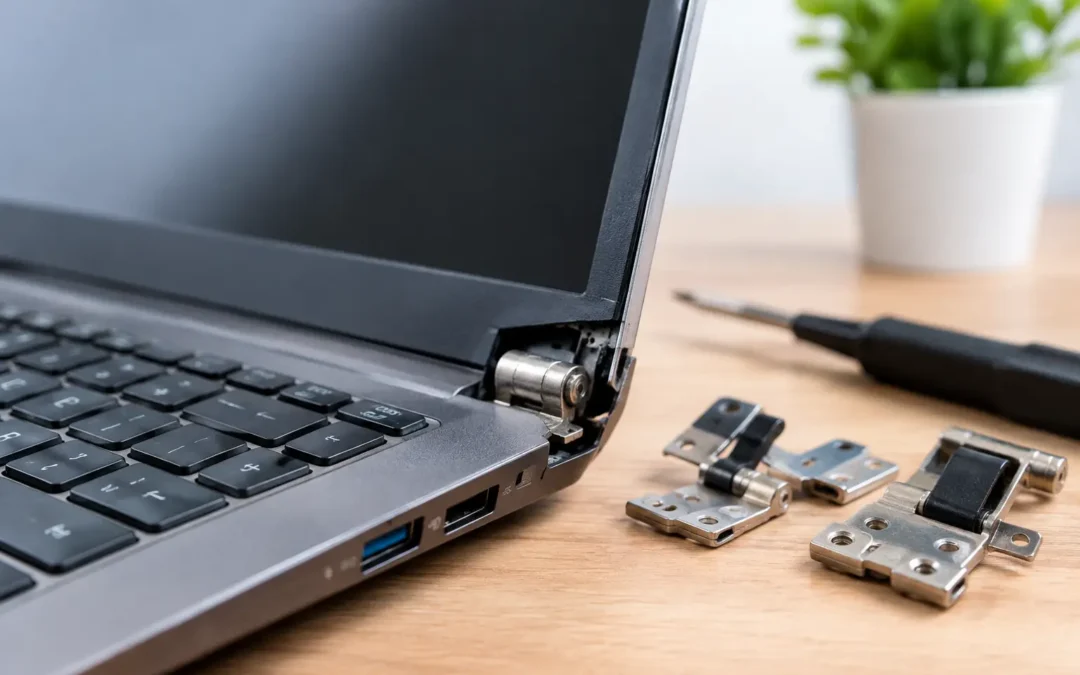
A laptop hinge rarely fails at a convenient time. One day the screen opens with a little resistance. The next, the bezel separates, the case flexes, or the display will not stay upright during a work call. Knowing your broken laptop hinge options early can prevent a small mechanical repair from turning into a cracked screen, damaged display cable, or unusable laptop.
The biggest mistake is continuing to force the lid open and closed. A loose, stiff, popping, or detached hinge puts pressure on parts that were never meant to carry it. If your laptop still powers on, treat it gently, back up important files, and stop moving the screen until a technician can inspect the damage.
What a Broken Hinge Can Actually Damage
A laptop hinge is more than a metal joint. It connects the display assembly to the bottom case and sits close to delicate screen cables, Wi-Fi antenna wires, webcam wiring, and the plastic or metal mounting points inside the chassis. The visible problem may be one corner lifting near the screen, but the damage can extend farther than it first appears.
On many laptops, the hinge itself is still intact while the small mounting posts it attaches to have cracked loose from the bottom cover or display back cover. This is common when a laptop is opened from one corner, gets dropped, or has a hinge that became tight over time. On other models, the hinge mechanism binds or breaks, placing increasing force on the lid every time it moves.
Watch for a screen that flickers when adjusted, a gap around the bezel, exposed wiring, a lid that will not close evenly, or a cracking sound when opening the laptop. Those are signs to stop using the hinge immediately. A working screen can become a much more expensive screen replacement if a stressed cable tears.
Broken Laptop Hinge Options That Make Sense
The right repair depends on what has failed, the laptop’s age and value, and whether related parts are already damaged. A hands-on inspection is the only way to confirm the exact repair, but most hinge problems fall into a few practical paths.
Replace the hinge assembly
If the hinge is bent, seized, loose internally, or physically broken, replacing the hinge assembly is usually the dependable fix. This often requires removing the display, bezel, bottom cover, and internal components around the hinge area. The replacement part must match the laptop model and revision.
This is a strong option when the mounting points are still solid and the display cable has not been damaged. It restores normal lid movement without relying on a temporary workaround. The trade-off is labor: modern laptops are compact, and a hinge replacement can involve extensive disassembly even when the part itself is inexpensive.
Repair or replace the mounting points and case pieces
When the hinge pulls away from the laptop body, the real issue may be cracked plastic anchors rather than the hinge. Depending on the model and the extent of the break, a technician may be able to reinforce the mounting area. In other cases, replacing the bottom case, palm rest, display back cover, or complete display housing is the longer-lasting choice.
Reinforcement can be cost-effective when the damage is limited. But if several mounting posts have broken apart or the plastic is badly warped, installing a replacement housing is usually more reliable. A repair that only holds for a few weeks is not a good value, especially if it risks the screen each time you open the lid.
Replace the full display assembly
A full display assembly replacement may be the best option if the hinge damage has also cracked the LCD panel, bent the lid, torn the display cable, or separated the bezel beyond repair. It costs more than replacing a hinge alone, but it can be more practical than piecing together multiple damaged components.
This option is particularly worth considering on laptops with thin screens, glued bezels, touch displays, or difficult-to-source individual parts. It can also reduce the chance of a mismatched fit between old and new display components.
Use the laptop like a desktop, temporarily
If you need your files or must finish a project before repair, leave the lid in one safe position and connect an external monitor, keyboard, and mouse. Do not keep repositioning a compromised screen. This is a temporary way to keep working, not a hinge repair.
If the laptop will not open safely, connect it to an external display only if you can do so without forcing the lid. Your data is often still accessible even when the physical housing is damaged.
Replace the laptop or trade it in
For an older laptop with extensive housing damage, a failing battery, slow performance, or a damaged screen, putting repair dollars toward a replacement may make more sense. This is not always the answer. A business laptop with a good processor, upgraded storage, and years of useful life left can be well worth repairing.
The decision comes down to the total condition of the machine, not just the hinge. Compare the repair estimate with the cost of a replacement that meets your actual work, school, or family needs. If you choose to move on, make sure personal data is backed up and securely removed from the old device first.
Can You Fix a Laptop Hinge Yourself?
Some laptop owners find online hinge kits and adhesive repair videos tempting. The risk is that a hinge problem is easy to underestimate. Opening the case can damage ribbon cables, strip tiny screws, crack the display, or puncture a battery if the wrong tool or pressure is used.
Glue alone is also rarely a complete answer for broken mounting posts. It may hold briefly, but hinges experience repeated twisting force. If the hinge remains too tight, the same pressure that broke the original mount can break the repair. A proper repair addresses both the hinge tension and the structure holding it in place.
DIY can be reasonable for someone experienced with laptop disassembly who has the correct part, tools, and a repairable model. For most people, especially when the screen is lifting or wires are exposed, professional service is the safer and often less costly route.
What Affects Hinge Repair Cost and Turnaround Time?
There is no one price for a broken hinge because laptops are built very differently. A standard non-touch laptop with an accessible hinge and no screen damage is generally simpler than an ultrathin model, a 2-in-1 convertible, or a laptop with a bonded display assembly.
Parts availability matters too. Some common models have replacement hinges and housings readily available, while others require ordering a specific part. Damage to the LCD, cable, webcam, antennas, or battery compartment can add to the repair scope.
Before approving work, ask what parts are damaged, whether the repair includes correcting hinge tension, and whether the estimate covers any damaged housing or display components. A clear diagnosis helps you avoid paying for a quick patch that does not solve the reason the hinge failed.
How to Avoid Making the Damage Worse
Until the laptop is repaired, carry it closed with both hands and keep it flat in a padded bag. Do not lift it by the screen. Avoid opening the lid from one corner, which concentrates force on one hinge. When it is safe to use after repair, open it from the center of the lid with gentle, even pressure.
Keep pens, earbuds, charging cables, and other objects away from the keyboard before closing the lid. Even a small object can put uneven pressure on the screen and hinge area. If the laptop has become unusually stiff to open, do not wait for it to break. Early service may prevent damage to the housing and display.
For Houston customers who need a practical answer quickly, Phone Repair Ambulance can inspect the hinge area, identify damage beyond what is visible, and help determine whether repair or replacement is the better value. The right next move is simple: protect your data, stop forcing the lid, and get the laptop checked before a manageable hinge issue takes the screen down with it.