
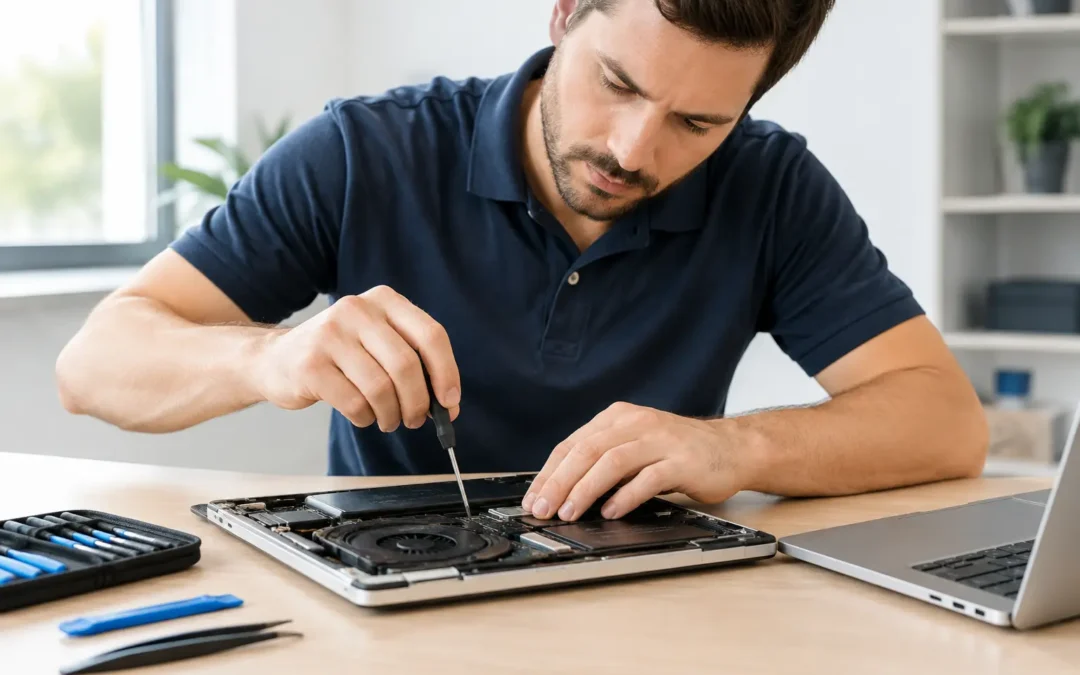
A computer problem rarely arrives at a convenient time. Your laptop freezes before a work deadline, your desktop will not start when your business opens, or a suspicious pop-up appears right as you need to pay a bill. Fast, dependable computer repair gives you a clear path forward without weeks of waiting, confusing advice, or a risky guess at the cause.
For Houston families, students, professionals, and small businesses, the goal is not just to get a device to power on. It is to get your files, accounts, work, and routine back with as little disruption as possible. The right repair starts with an honest diagnosis, a clear explanation of your options, and a turnaround time that respects how much you rely on your computer.
What Computer Problems Need Professional Repair?
Some computer issues are minor. A full storage drive, too many startup programs, or an outdated browser can make a machine feel slow without requiring replacement parts. Other symptoms point to a problem that should be checked by a trained technician before it gets worse.
A laptop that will not charge may have a worn battery, damaged charging port, failing adapter, or internal board issue. A desktop that repeatedly restarts can be dealing with overheating, a failing power supply, corrupted system files, or defective memory. The symptom matters, but the underlying cause matters more. Replacing a part without proper testing can cost you more and leave the original problem unresolved.
Professional help is especially worthwhile when you notice repeated crashes, blue screens, clicking from a hard drive, burning smells, liquid exposure, missing files, or signs that someone may have accessed your accounts. Those are not problems to put off until the weekend.
Slow Computer vs. Failing Computer
A slow computer is frustrating, but it is not automatically a lost cause. Malware, crowded storage, aging software, browser extensions, and background programs can all drag down performance. In many cases, a cleanup, software repair, malware removal, or storage upgrade can extend the life of a laptop or desktop at a reasonable cost.
A failing computer often gives more serious warnings. It may shut down without notice, lose files, refuse to boot, make unusual noises, or display errors every time it starts. Hard drive failure is a major example. If files are suddenly disappearing or the system is taking much longer than usual to open folders, stop using the device as much as possible. Continued use can make data recovery harder.
The Most Common Computer Repair Services
Every device and situation is different, but most repair visits fall into a few practical categories. Knowing what they involve can make it easier to decide whether repair is the right next step.
Virus and Malware Removal
Pop-ups, fake security alerts, redirected web searches, unknown programs, and unusually slow performance may be signs of malware. Not every alert is dangerous, but clicking random “clean now” buttons or downloading unknown cleanup tools can make the problem worse.
A proper malware removal service identifies the infection, removes unwanted software, checks browser settings, and helps secure the device afterward. If you entered passwords or financial information while the computer was compromised, change those passwords from a different, trusted device. For business computers, act quickly to protect customer data and connected accounts.
Laptop Screen, Battery, and Charging Repairs
A cracked laptop screen can turn a perfectly usable computer into a daily headache. Battery and charging problems create a different kind of stress because the device may only work near an outlet, if it works at all. These repairs depend on the model and parts availability, but they are often more cost-effective than replacing a newer computer.
Before approving a repair, ask whether the issue is limited to the battery or charging port, whether there is evidence of liquid damage, and whether the technician sees any additional concerns. Clear answers help you make a decision based on the actual condition of the device, not guesswork.
Desktop Hardware and Performance Repairs
Desktop computers can last for years, especially when they receive timely maintenance and targeted upgrades. A new solid-state drive can dramatically improve startup speed on an older machine. More memory may help with multitasking, schoolwork, video calls, or office programs. Replacing a failing power supply or cooling fan can prevent a larger failure later.
That said, not every desktop is worth investing in. If a computer is very old, no longer supports current security updates, or needs several expensive parts at once, replacement may be the better value. A good technician should tell you that plainly instead of pushing a repair that does not make sense.
Water Damage Recovery
Coffee spills, rain, and unexpected leaks happen fast. If liquid reaches a computer, turn it off, unplug it, and do not keep trying to restart it. Avoid heat guns, hair dryers, or the old rice-bag advice. Heat can damage components, while powering the device on can create a short circuit.
Water damage recovery is time-sensitive. The sooner a technician can inspect and clean the device, the better the chance of limiting corrosion and saving important data. Even if the computer starts after drying out, hidden damage can appear days or weeks later.
What to Do Before You Bring in Your Computer
You do not need to be a tech expert to prepare for a repair. A few simple steps can protect your information and help speed up the diagnosis.
If the computer still works, back up important files to a secure external drive or cloud account. Write down the symptoms you have noticed, including error messages, when the issue began, and anything that happened shortly before it started. For example, did the problem begin after a drop, software update, spill, power outage, or new download?
Bring the charger with a laptop whenever possible. If you use a separate desktop monitor, keyboard, or external drive that may be involved in the issue, mention it during check-in. Do not share passwords unless they are needed for testing, and ask how your personal information will be handled during service.
How to Choose Computer Repair in Houston
Speed matters when you cannot work, study, communicate, or run your business. But fast service should still include real diagnostics and transparent recommendations. The cheapest quote is not always the best value if it skips the actual cause of the problem or uses unreliable parts.
Look for a local repair team that can explain the issue in plain language, provide a clear quote before major work begins, and tell you what to expect for turnaround time. Ask whether your data can be preserved, whether replacement parts are available, and what happens if the repair reveals a second issue. These are straightforward questions, and you deserve straightforward answers.
Convenience also counts. A nearby location can be useful for walk-in help, while on-site service can be the better choice when a desktop setup, small office, or mobility issue makes transport difficult. Phone Repair Ambulance serves Houston with both local repair locations and mobile service, helping customers choose the option that fits the problem instead of forcing every repair into the same process.
Repair or Replace? Make the Decision With Real Numbers
The right choice depends on the computer’s age, condition, repair cost, and what you need it to do. A three-year-old laptop with a broken screen is usually a strong repair candidate. A nine-year-old machine with a failing drive, weak battery, outdated operating system, and overheating problems may be ready for replacement.
There is also a middle ground. If the hardware is sound but performance is poor, an upgrade can make sense. A solid-state drive and fresh operating system installation may give a dependable older computer a second life. For someone who only needs email, browsing, documents, and video calls, that may be all they need. For editing video, running demanding business software, or gaming, newer hardware may be the more practical answer.
Do not forget your data when comparing costs. A replacement computer does not automatically bring back your files, saved passwords, photos, or software setup. If your current device holds irreplaceable information, data recovery and transfer should be part of the conversation.
A Faster Path Back to Your Routine
Computer trouble is stressful because the device is tied to everything else you need to do. The best repair experience removes uncertainty: you know what is wrong, what it will cost, how long it may take, and what options you have if repair is not worthwhile.
Whether your computer has slowed to a crawl, picked up a virus, stopped charging, or will not turn on at all, do not let a small issue turn into lost files or lost time. Get it checked early, ask clear questions, and choose a repair team that treats your device – and your day – like it matters.