
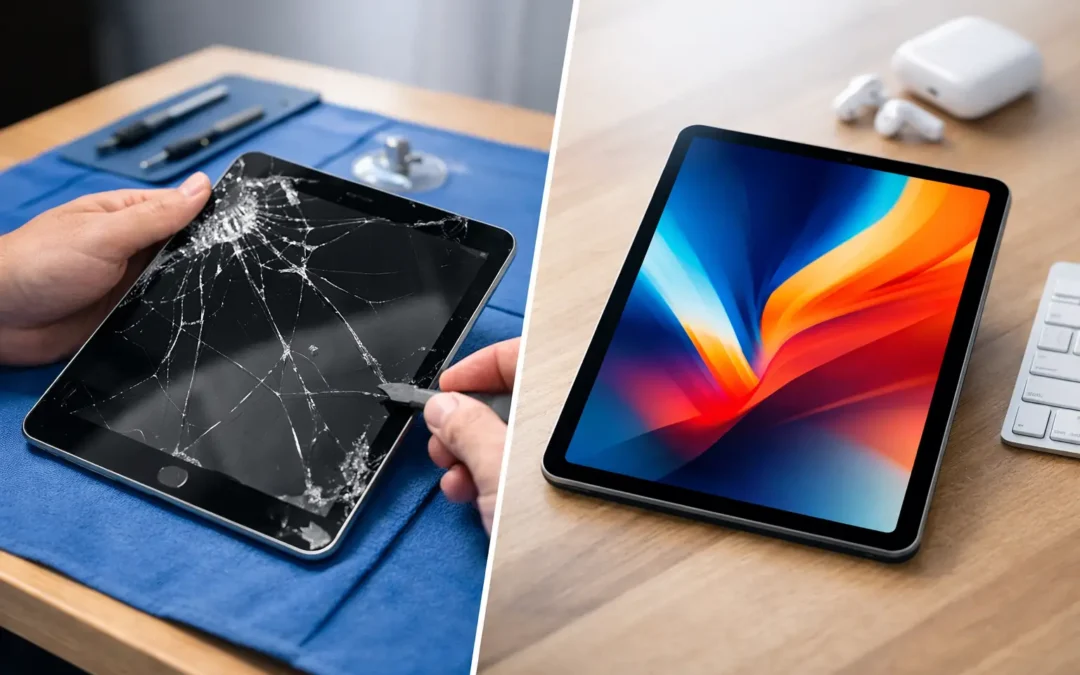
A cracked iPad screen can turn a school assignment, work presentation, or child’s favorite app into a daily frustration. This iPad screen repair guide helps you decide what to do next without guessing, risking further damage, or spending money on the wrong fix.
The first question is not always, “Can the glass be replaced?” It is whether the damage is limited to the outer glass, has affected the display underneath, or has created a safety issue. A few hairline cracks may leave the iPad usable for now. Black blotches, flashing lines, dead touch areas, or exposed glass mean the problem needs attention sooner.
Start by Checking What Is Actually Damaged
Not every broken-looking screen has the same repair needs. Older iPads often have a separate glass digitizer and LCD display. On some newer models, the glass, touch sensor, and display are laminated together. That design can improve image quality and make the tablet thinner, but it may also mean a more involved repair when the screen is damaged.
Look closely at what the iPad is doing. If the image is clear, brightness works normally, and every part of the touchscreen responds, the damage may be limited to the outer glass. It is still worth repairing because cracks spread, collect debris, and can cut fingers. But it may not be as urgent as a display failure.
If you see ink-like black spots, colored or white lines, a screen that flickers, dark areas, or a display that stays black while the iPad still makes sounds, the LCD or OLED display has likely been damaged. In that case, covering the crack with a protector will not restore the screen. A proper display repair is usually needed.
Touch problems are another warning sign. An iPad that opens apps on its own, ignores taps, has a delayed response, or will not register a passcode can become unusable quickly. These symptoms can happen after a drop even when the glass does not look severely broken.
iPad Screen Repair Guide: What to Do First
Before you schedule a repair, protect your information and prevent a small issue from becoming a bigger one. If the iPad is still functional, back it up to iCloud or a computer. A screen repair normally does not require data removal, but a current backup is always the smart move when a device has been dropped.
Next, remove the charging cable and any case that presses against the damaged area. Do not keep charging an iPad if the screen is lifting away from the frame, the tablet is unusually warm, or the battery appears swollen. A lifting screen is not always just screen damage. It can indicate battery expansion, which should be checked by a technician promptly.
For a screen with sharp cracks, use a temporary screen protector or clear packing tape only as a short-term barrier. Keep it smooth and avoid pressing hard on the display. This can reduce the risk of cuts and help keep loose glass from spreading, but it is not a repair.
Avoid moisture. Even if your iPad was never dropped in water, cracks break the seal that helps keep dust and liquid away from internal components. A quick splash near a broken screen can lead to problems far beyond the display.
When You Can Keep Using a Cracked iPad
Some people need their iPad for class, work, travel, or family communication and cannot stop using it immediately. You may be able to use it temporarily if the crack is small, touch works across the entire screen, the display has no discoloration, and no glass is coming loose.
Still, treat it gently. Use a protective case, keep it away from bags where it can be pressed against other items, and do not place it face-down on hard surfaces. Avoid using a damaged iPad while cooking, near a pool, or in other places where moisture is likely.
The trade-off is simple: waiting may save money today, but the crack can worsen after one more bump. Once the display or touch layer fails, the repair may be more extensive than it would have been when the damage was limited to the glass.
Why a DIY Repair Is Not Always the Bargain It Looks Like
Online repair kits can look appealing, especially when the iPad still powers on. The real cost is more than the price of the replacement part. iPads use delicate adhesive, tiny screws, flex cables, and components that can be damaged when the screen is lifted. Some models also require careful calibration or part pairing to retain expected features and display performance.
DIY repair may make sense for someone with device repair experience, the correct tools, a known-good replacement part, and an older iPad that is no longer worth a professional investment. For most people, it is a high-risk job. A torn cable, damaged home button, bent frame, or poor adhesive seal can turn a cracked screen into a tablet that will not power on or close properly.
Be especially careful with iPads that use Touch ID in the home button. Replacing the wrong part or damaging the original button can affect fingerprint functionality. A trained technician can inspect the device before repair and explain what is damaged, what parts are required, and whether there are any risks related to the model.
Repair or Replace: Make the Call Based on the Whole Device
A screen repair is usually worth considering when the iPad is otherwise reliable, holds a charge, runs the apps you need, and has enough storage for your daily use. This is common with newer iPads and iPad Pros, where replacement costs can be much higher than a screen repair.
Replacement can make more sense when the iPad has several problems at once: a cracked screen, poor battery life, charging issues, major frame damage, or software limitations that prevent it from running necessary apps. An older tablet may also have a repair cost that is too close to the value of a newer replacement.
There is no one answer for every model. An iPad used for a child’s streaming and games has different needs than an iPad Pro used for jobsite plans, digital art, or a small business point-of-sale system. A repair quote gives you a practical number to compare against replacement, trade-in, or buyback options.
What a Professional Screen Repair Should Include
A good repair experience starts with an inspection, not a rushed assumption. The technician should check the screen, touch response, frame condition, cameras, charging port, speakers, buttons, and battery behavior. A hard drop can create hidden damage, and catching it before the device is reassembled prevents surprises later.
Ask whether the quoted repair covers the full display assembly or only the outer glass. Ask about part quality, warranty coverage, and estimated turnaround time for your specific iPad model. Availability can vary, especially for newer iPads, iPad Air models, and iPad Pro displays.
For Houston customers, Phone Repair Ambulance can evaluate the iPad, provide a clear repair path, and help you choose between a repair, trade-in, or replacement when a screen fix no longer makes financial sense. Local service matters when you need your tablet back for school, work, or a family trip without waiting through a mail-in process.
Protect the New Screen After Repair
Once the screen is repaired, the best next step is preventing a repeat drop. A fitted case with raised edges helps keep the glass off the table when the iPad lands face-down. A quality screen protector can reduce scratches and absorb some impact, although it cannot guarantee protection from a hard fall.
If children use the iPad, choose a case designed for their age and how they carry it. Thick foam cases can be useful for younger users, while students and professionals may prefer a folio case that protects the screen inside a backpack. Keep the iPad out of overstuffed bags, and do not place heavy books or laptops directly on top of it.
A cracked screen does not have to put your schedule on hold. Back up the iPad, keep it dry, avoid pressing on damaged glass, and get a clear assessment before the damage spreads. The right repair decision is the one that gets your tablet safely back into the hands of the person who depends on it.