
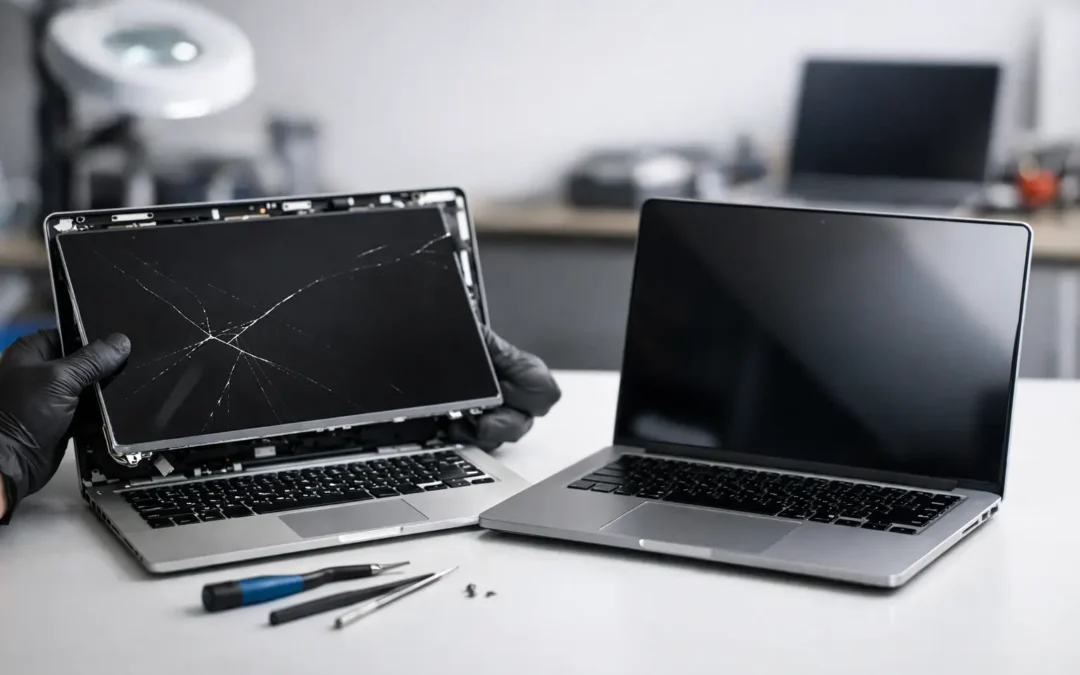
A cracked display has a way of turning a normal day into a scramble. One drop off the couch, one backpack squeeze, one mystery pressure mark – and suddenly you are searching for laptop screen replacement because your computer is technically on, but barely usable.
For most people, the real question is not whether the screen is damaged. It is whether the damage is worth repairing, how much it will cost, and how fast it can be fixed without dragging out the problem for a week. If you rely on your laptop for work, school, appointments, or keeping up with family, waiting around is usually the worst part.
When laptop screen replacement is the right fix
Not every display issue means you need a full replacement, but many do. If your screen has visible cracks, black blotches, bleeding colors, dead areas, heavy flickering, or vertical lines that never go away, the panel itself is often damaged. In that case, software troubleshooting is not going to solve much.
There are a few exceptions. Sometimes a laptop shows a black screen because of a bad cable connection, graphics issue, failing backlight, or motherboard problem. That is why a proper diagnosis matters. A screen can look broken even when the root cause is elsewhere, and nobody wants to pay for the wrong repair.
A simple way to think about it is this: if the image is distorted but the laptop still works through an external monitor, the display assembly is a strong suspect. If the laptop also has problems on an external monitor, the issue may go deeper than the screen. That difference can change both the price and the repair timeline.
What usually causes a laptop screen to break
Most broken laptop screens come from pressure, impact, or hinge stress. The obvious version is a drop. The less obvious version happens all the time – closing the laptop on a pen, overpacking a bag, lifting the computer from one corner, or forcing a stiff hinge until it puts stress on the display.
Heat and age can play a role too. Older screens may develop dim sections, color problems, or failing backlights even without a specific accident. On some models, especially thin laptops, the display assembly is built in a way that leaves less room for mistakes. That can make the device look sleek, but it can also make damage more likely when daily handling gets rough.
For students, remote workers, and business owners, one of the biggest hidden risks is continuing to use a damaged screen for too long. Small cracks spread. Hinge problems get worse. A repair that starts as a screen job can turn into casing or cable damage if the laptop keeps being opened and closed every day.
Should you repair the screen or replace the laptop?
This is where people often get stuck, and the honest answer is that it depends on the machine. Laptop screen replacement usually makes sense when the computer is still performing well, the repair cost is reasonable compared to replacement, and there are no major underlying issues like battery swelling, motherboard failure, or severe liquid damage.
If you have a newer laptop, a business-grade model, a gaming laptop, or a computer with good storage and memory, replacing the screen is often the smarter move. Buying a new laptop just because of a broken display can cost far more than fixing the panel, especially if everything else is in solid shape.
On the other hand, if the laptop is already very slow, has multiple failing parts, and would need several repairs at once, replacement may be the better value. A low-cost older laptop with a damaged screen, worn battery, and broken hinge can quickly reach the point where repair dollars are better put toward a new device.
The right decision is usually based on three things: the age of the laptop, the total condition of the machine, and how urgently you need it back in service. Price matters, but downtime matters too.
What affects laptop screen replacement cost
There is no universal price because laptop screens are not one-size-fits-all. Cost depends heavily on the brand, model, screen size, resolution, touch capability, and whether the display is standard or more specialized.
A basic non-touch screen is generally more affordable to replace than a high-resolution touchscreen on a premium ultrabook. Some models have parts that are easy to source and install. Others require more labor because the screen is fused into a thinner assembly, the bezel is delicate, or extra components have to be removed carefully.
Parts availability is another factor. Common models usually move faster because parts are easier to find. Less common or newer devices can take longer if the exact panel has to be ordered. That is especially true when the laptop uses a specific connector type, refresh rate, or manufacturer-approved display.
A good repair shop will tell you what you are paying for in plain language. You should know whether the quote covers the part, labor, testing, and any warranty on the repair. Fast service is important, but clarity matters too.
How long does a screen repair take?
For many standard models, laptop screen replacement can be completed the same day once the right part is available. Some jobs are straightforward. Others take longer because the laptop has to be disassembled more deeply or the part is less common.
The biggest delay is usually not the repair itself. It is confirming the exact screen needed. Two laptops that look nearly identical can use different panels, connectors, or mounting styles. That is why experienced technicians verify the device carefully before starting.
If speed matters, local repair service has a clear advantage over shipping your laptop away and hoping for a quick turnaround. For Houston customers trying to avoid that kind of delay, Phone Repair Ambulance focuses on fast local service so you are not stuck wondering where your device is or when you will get it back.
Signs you should stop using the laptop right away
Some damaged screens are annoying but manageable for a day or two. Others should not be ignored. If the display is separating from the frame, the hinge is pulling apart, the screen has pressure damage that keeps spreading, or the laptop lid no longer closes correctly, stop forcing it.
The same goes for flickering that worsens when you move the screen. That can point to cable or hinge-related wear, and repeated movement may make the damage worse. If the battery appears swollen or the screen is lifting outward, that is more urgent. A swollen battery is not a wait-and-see problem.
The goal is simple: avoid turning one repair into two. The longer a physically damaged laptop is used, the more likely surrounding parts will be affected.
Why professional laptop screen replacement is usually worth it
Online tutorials make screen repair look easy right up until the clips snap, the cable tears, or the wrong panel gets installed. Some laptop models are straightforward. Others are not. Thin bezels, hidden adhesive, fragile connectors, and model-specific screen variations leave a lot of room for error.
Professional repair helps on two levels. First, the diagnosis is more accurate. A trained technician can tell whether the issue is the panel, cable, hinge, graphics hardware, or something else. Second, the installation is safer. That matters because a good screen repair is not just about making the picture come back. It is about restoring the laptop so it opens, closes, and functions the way it should.
There is also the quality question. Not all replacement parts are equal. A screen that technically fits may still have poor brightness, inaccurate color, weak durability, or compatibility issues. A dependable shop will match the right part and test the laptop before handing it back.
What to do before you bring your laptop in
If the computer still powers on, back up your files as soon as possible. Screen damage does not always affect the data, but it is smart to protect your work before any repair. If the screen is hard to use, connect the laptop to an external monitor if possible.
Take note of the exact symptoms too. Mention whether the damage happened after a drop, whether the image cuts in and out when the lid moves, and whether an external display works normally. Those details help narrow the issue faster.
If your laptop has a password, be prepared to provide access instructions if testing will require logging in. And if you need the machine back quickly, say that upfront. Good repair service starts with a clear timeline, not guesswork.
A broken screen feels urgent because it is. Your laptop is not just a device – it is where your work, school, and everyday life happen. The good news is that a damaged display does not automatically mean you need a whole new computer. With the right diagnosis and a fast local repair, getting back to normal can be a lot simpler than it looks.