
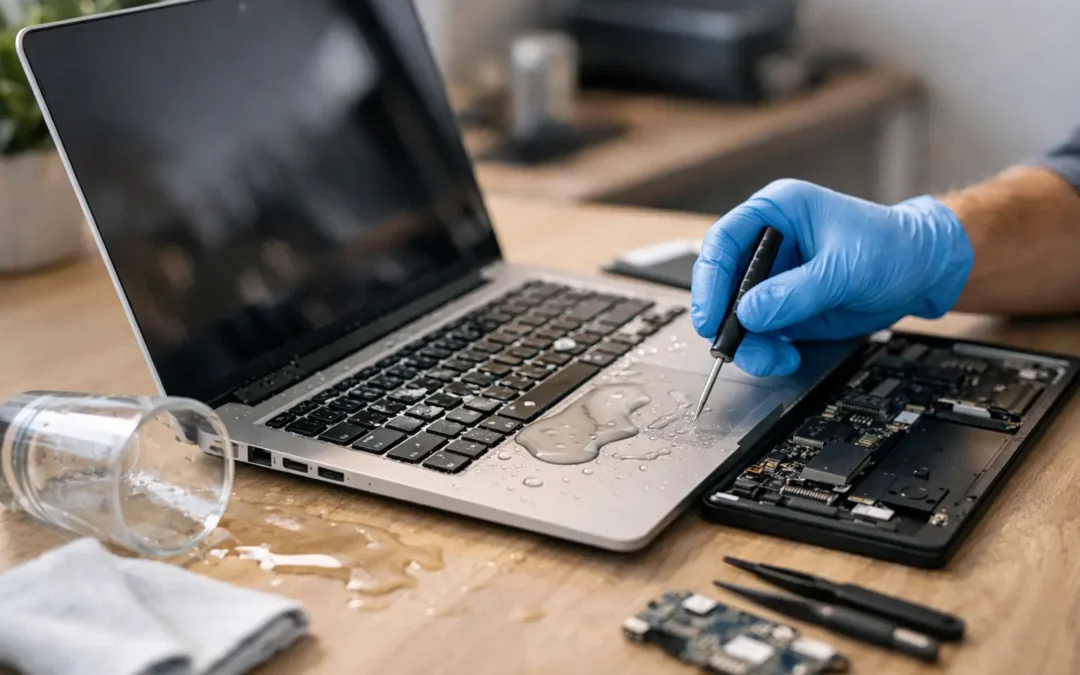
Coffee tips over. Rain gets into your bag. A kid knocks a drink across the kitchen table. When that happens, laptop water damage repair becomes a race against time, not something to put off until the weekend. The first few minutes can make the difference between a simple cleanup and a dead motherboard.
Laptop water damage repair starts with the first 5 minutes
If your laptop gets wet, shut it down immediately. Do not keep clicking around to see if it still works. Electricity and moisture are a bad mix, and every second the device stays powered can increase the damage.
Unplug the charger right away. If the battery is removable, take it out. Disconnect anything attached, including a mouse, USB drive, SD card, or external monitor. Then turn the laptop upside down in a tent shape or an open V so liquid can drain out instead of sinking deeper inside.
At that point, gently blot visible moisture with a soft, lint-free cloth. Focus on the keyboard, ports, palm rest, and underside. Blotting matters. Rubbing does not help and can push liquid into seams and openings.
What you should not do is just as important. Do not turn it back on to test it. Do not plug it in. Do not use a hair dryer on high heat. And despite the advice people still pass around, do not count on rice to fix the problem. Rice does not remove residue, and it does nothing for corrosion already starting on the internal components.
Why liquid damage is worse than it looks
A laptop can seem fine right after a spill and still fail later. That is one reason water damage is tricky. The problem is not only the moisture you can see. It is also what gets left behind.
Plain water is bad enough, but many real-life spills are worse. Coffee, soda, juice, sports drinks, and sugary beverages leave sticky residue that can corrode contacts and short out circuits. Even a small amount can affect the keyboard, charging system, trackpad, screen backlight, or motherboard.
Corrosion does not always happen instantly. It can build over hours or days. That means a laptop that powers on after a spill is not automatically safe. You might notice random shutdowns, keys that stop working, fans running constantly, battery charging issues, or no display at all. Sometimes the damage stays isolated. Sometimes it spreads.
Can you fix water damage on a laptop yourself?
Sometimes, but it depends on the spill, the model, and how quickly you acted.
If only a few drops hit the outside and never got past the keyboard surface, careful drying may be enough. But if liquid entered through the keys, vents, or ports, the real damage is usually inside. That is where home fixes become risky. Modern laptops are tightly packed, and opening them without the right tools can damage clips, cables, or the battery.
There is also the issue of residue. Drying the laptop is only part of the job. A proper repair often means disassembling the device, inspecting the board under magnification, cleaning affected areas, testing for failed components, and checking whether the storage drive and data are still safe. That is not a guess-and-see situation if the laptop holds work files, school projects, or family photos.
What a professional laptop water damage repair usually includes
A real repair process is more than letting the device sit for 24 hours.
A technician typically starts by opening the laptop and checking where the liquid traveled. On some models, the keyboard area takes the hit first. On others, liquid reaches the board quickly through the fan vents or side ports. Once the affected zones are identified, the internal parts can be cleaned and dried properly.
If corrosion is present, the board may need detailed cleaning to stop ongoing damage. The technician will also test critical components such as the keyboard, battery, charging circuit, SSD, display connectors, and motherboard functions. Sometimes the fix is straightforward, like replacing a damaged keyboard or battery. Other times, the board itself needs repair.
This is where speed really matters. The sooner a wet laptop is inspected, the better the odds of saving the device and avoiding more expensive part failures.
Signs your laptop needs immediate repair after a spill
Not every water-damaged laptop dies on the spot. Some problems show up later, which can trick people into waiting too long.
If the laptop will not power on, keeps restarting, gets unusually hot, shows a black or flickering screen, or stops charging, it needs attention fast. The same goes for keys typing the wrong characters, a trackpad that clicks on its own, distorted sound, or liquid visible under the screen.
A strange smell can also be a warning sign. Burnt or sweet electrical odors may mean components are overheating or shorting. At that point, trying to charge or restart the device can make things worse.
What about data recovery?
For many people, the laptop matters less than what is on it. Work documents, tax files, client information, school assignments, and photos often matter more than the hardware itself.
The good news is that water damage does not always mean lost data. In many cases, the storage drive can still be recovered even if the laptop has major internal issues. That said, the safest move is to stop trying to power it on. Repeated startup attempts can turn a recoverable situation into a harder one.
A repair shop can determine whether the laptop itself can be saved, whether the drive can be removed and accessed separately, or whether a replacement device is the smarter move. It depends on the age of the machine, the extent of corrosion, and the value of the data.
Is laptop water damage repair worth it?
Usually, yes, but not every case has the same answer.
If the spill was caught early and the damage is limited, repair can be far more affordable than replacing the laptop. That is especially true for newer devices, business laptops, gaming laptops, and Apple models where replacement costs run high.
If the motherboard is severely damaged and the laptop is already older, the better option may be saving the data and putting the cost toward another device. A trustworthy shop should tell you that plainly instead of pushing a repair that does not make sense.
This is where local service helps. You want a technician who can inspect the damage quickly, explain what is salvageable, and give you a practical next step without sending your device off for days just to get answers.
How to lower the chances of permanent damage
There is no perfect fix after a spill, but a few smart moves improve the odds.
Act fast, power down, unplug everything, and keep the device off. Do not charge it. Do not test it repeatedly. Keep it in a draining position and get it checked as soon as possible. If the liquid was anything sugary, acidic, or sticky, speed matters even more because residue keeps working against the internal components.
If you are in Houston and dealing with an urgent spill, local same-day help is the difference between waiting and worsening the problem. That urgency is exactly why services like Phone Repair Ambulance focus on fast diagnostics and practical repair options instead of making customers guess.
A few common mistakes that cost people their laptop
The biggest mistake is turning the laptop back on too soon. People want reassurance, so they press the power button again and again. That can short components that might have been saved.
The second mistake is assuming that if it works for a few hours, everything is fine. Corrosion can take time. Delayed symptoms are common.
The third mistake is trying internet hacks instead of getting the device opened and inspected. Fans, towels, and time can help with surface moisture, but they cannot remove sticky residue from a logic board or fix a damaged charging circuit.
A wet laptop is one of those problems where waiting feels cheaper but often ends up costing more. The best move is simple: shut it down, keep it off, and get expert eyes on it before a small spill turns into a full replacement.