
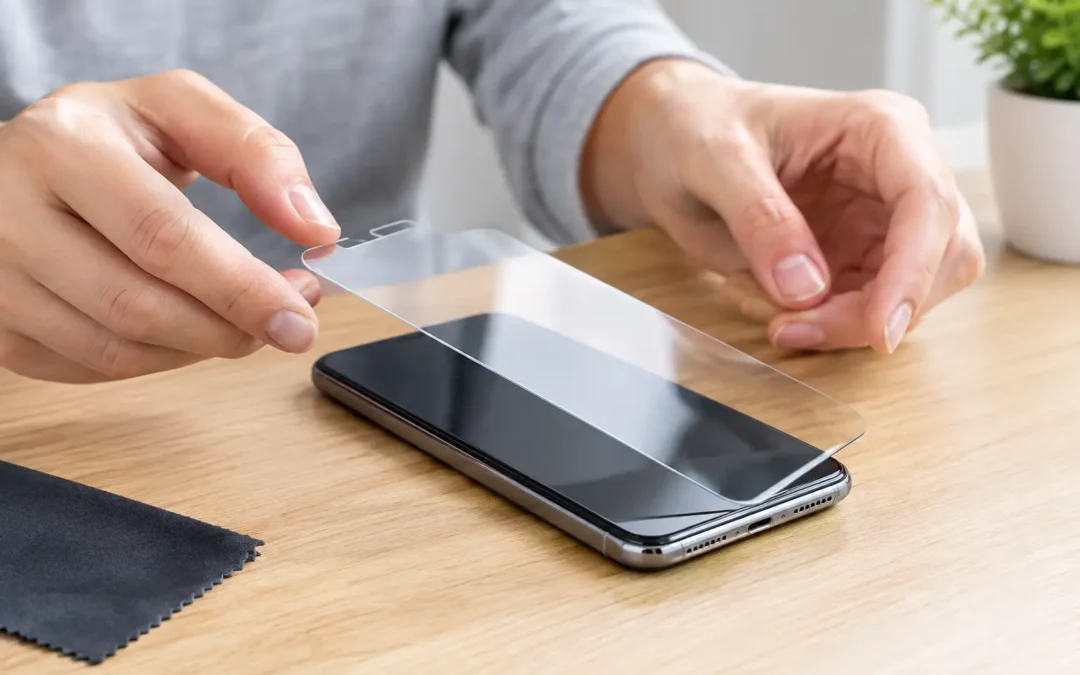
A screen can break in one second – usually when you are rushing out the door, getting kids in the car, or answering a work call. The best ways to protect screens are not complicated, but they do require choosing the right protection and using your device with a little more intention.
For Houston phone, tablet, and laptop owners, screen protection also has to account for real life: crowded commutes, hot vehicles, job sites, backpacks, kitchen counters, and busy hands. A good case helps, but it is only one part of preventing expensive damage.
Best Ways to Protect Screens Before Damage Happens
The strongest approach combines a quality screen protector, a case that protects the corners, and habits that keep your device away from common hazards. No accessory makes a device indestructible. The goal is to reduce the force of an impact, keep abrasive debris off the glass, and avoid the conditions that wear a display down over time.
Start with a tempered-glass screen protector
A tempered-glass protector is the first line of defense for most smartphones and tablets. It takes scratches from keys, sand, and everyday grit so the original display does not have to. More importantly, it can absorb or spread some of the force from a direct impact.
Choose a protector designed for your exact device model. A poor fit can leave vulnerable edges exposed, interfere with a case, or create bubbles that make touch response feel less accurate. Look for full adhesive coverage and an oleophobic coating, which helps resist fingerprints and makes the screen easier to clean.
Privacy protectors and matte protectors have benefits, but there are trade-offs. Privacy glass can slightly reduce brightness and viewing angles. Matte films cut glare and feel good for drawing or writing, yet they can soften the sharpness of the display. Standard clear tempered glass is usually the best choice for people who want the closest feel to the original screen.
Replace a cracked protector promptly. It has done its job, but its protection is compromised once it is fractured or lifting at the edges. Do not assume a damaged protector means the screen beneath it is damaged, either. Remove it carefully and inspect the display in good light.
Use a case with raised edges and real corner protection
The most common crack starts at a corner. When a phone hits concrete or tile, the impact often concentrates on one small point. A thin decorative case may protect against scuffs, but it may not provide enough cushioning for a serious drop.
Choose a case with reinforced corners, a raised lip around the display, and a raised edge around the camera. The front lip matters because it keeps the glass from lying flat against a table when the phone is face down. For tablets, a folio-style case that covers the screen during travel is often worth the extra bulk.
There is no single best case for everyone. Someone who works in an office may prefer a slim case with moderate protection. A contractor, delivery driver, parent of young kids, or person who regularly works outdoors should consider a more protective option. The right case is the one you will actually keep on the device.
Keep screens away from keys, tools, and loose change
Many scratches happen without a dramatic drop. A phone tossed into the same pocket as keys, coins, or metal tools can develop fine marks over time. Sand is another major culprit, especially around beaches, parks, sports fields, and construction areas. Tiny grains can be harder than they look.
Give your phone its own pocket or a dedicated section of your bag. If that is not practical, use a pouch or make sure the screen faces inward toward soft fabric. Store tablets and laptops in padded sleeves rather than loose inside a backpack with chargers, pens, and notebooks pressing against them.
Protecting Screens From Drops at Home, Work, and On the Go
Screen protectors are useful, but safe handling prevents more damage than any accessory. Most drops happen during routine moments, not dramatic accidents.
At home, avoid balancing a phone on the arm of a couch, the edge of a bed, a car roof, or a kitchen counter near the sink. Keep devices away from curious pets and children who may pull on charging cords. If you use your phone while cooking, set it on a stable stand rather than leaning it against a glass, spice jar, or appliance.
At work, use a desk stand or docking station instead of leaving a phone under papers or near the edge of a workstation. For laptops, open and close the lid from the center, not one corner. Closing a laptop with a pen, earbud, charger cable, or even a small piece of debris on the keyboard can crack the display from the inside.
When you are out, a secure grip makes a difference. A grip accessory, wrist strap, or crossbody phone holder can help if you are often carrying groceries, a child, or work equipment. Just remember that adhesive grips and rings wear out. Check them regularly rather than trusting an old accessory with an expensive device.
Do not leave devices in a hot car
Houston heat is hard on electronics. High temperatures can weaken adhesives, affect display layers, shorten battery life, and make a screen protector lift or bubble. Direct sunlight can also make you crank brightness to maximum, which adds stress and drains battery power.
Never leave a phone, tablet, or laptop on a dashboard or in a parked vehicle for long. If your device feels hot, remove it from direct sunlight, stop charging it, and let it cool naturally. Avoid placing it in a refrigerator or against ice packs. Fast temperature changes can create condensation and cause a different problem.
Clean Screens Without Creating Damage
A dirty screen can tempt people to use whatever is nearby: a shirt, paper towel, window cleaner, or disinfecting wipe. Those shortcuts can leave micro-scratches, wear away coatings, or push moisture into openings.
Use a clean microfiber cloth for routine cleaning. For smudges, lightly dampen the cloth with water or use a cleaner made for electronics. Do not spray liquid directly on the display. Wipe gently in one direction, then use a dry section of the cloth to finish.
Avoid abrasive towels, tissues, and harsh household chemicals. If you need to disinfect a device, use a product approved for electronics and follow its directions. The goal is clean glass, not a soaked device.
Know When Protection Is Not Enough
Sometimes a screen survives the drop but still needs attention. Hairline cracks can spread with pressure and temperature changes. A small damaged area may become sharp, allow moisture inside, or cause touch issues later. Black spots, flashing, colored lines, dead touch zones, and screen lifting are signs the damage may go beyond the outer glass.
Do not keep pressing on a cracked display to test it. Back up your device as soon as possible, especially if it is still working normally. If the screen is separating from the frame or the phone is unusually warm, stop using it and have it inspected. Screen lifting can point to a swollen battery, which needs prompt professional service.
For fast local help, Phone Repair Ambulance can inspect cracked displays and help Houston customers decide whether a screen repair is the practical next step. A quick evaluation is better than waiting for a minor crack to turn into a display failure.
The best protection is the protection you use every day: a properly fitted glass protector, a case that covers the corners, and a safe place to set your device down when life gets busy.