
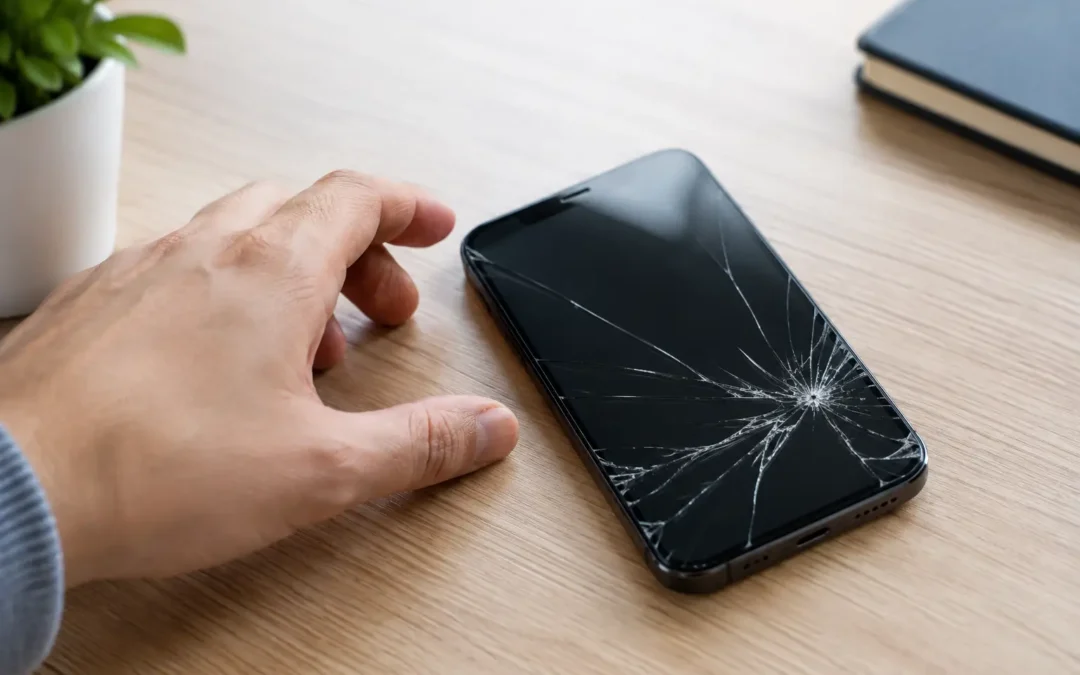
A phone can look usable after a small drop, then develop a longer crack while it sits in your pocket or charges overnight. So, can a cracked screen spread? Yes. A crack can grow across the glass, damage the display underneath, and eventually affect touch response. The right next step depends on whether you have a surface crack, a failing display, or signs that the device itself has been damaged.
Can a Cracked Screen Spread on Its Own?
A cracked screen does not heal or stabilize on its own. Once the glass has fractured, everyday pressure and movement can push that damage farther. You may notice a hairline crack slowly branching out, a chipped corner turning into a web of cracks, or a previously small break becoming more noticeable after putting the phone in a tight pocket.
It can feel like the crack appeared to spread without anything happening. Usually, though, the screen experienced small amounts of stress: a temperature change in the car, pressure from a case, flexing when you pick up the phone, or vibration from a desk or vehicle. The glass was already weakened, so it took very little force to extend the fracture.
Modern phones use strengthened glass, but strengthened does not mean unbreakable. Once its outer surface is compromised, it has less ability to distribute pressure evenly. That is why waiting can turn a quick screen repair into a more involved display repair.
Why Cracked Phone Screens Get Worse
The most common reason is pressure. Sitting with your phone in a back pocket, carrying it against keys, or pressing on the screen while typing can flex the device slightly. A crack gives that pressure a weak point to follow.
Heat and cold also matter more than most people expect. Glass expands and contracts as temperatures change. Houston heat can make a damaged screen especially unpredictable, particularly if the phone has been left in a hot vehicle. Moving it quickly from intense outdoor heat into strong air conditioning can add more stress to a crack that is already unstable.
Moisture is another concern. A screen crack can create a path for humidity, rain, sweat, or a small splash to get beyond the outer glass. Even if your phone was water-resistant when new, a crack can compromise that protection. Moisture inside a device can lead to display stains, charging problems, corrosion, or a phone that stops working days after the original incident.
Finally, screen protectors and cases can help prevent new damage, but they cannot reverse existing damage. A tempered-glass protector may hold loose glass together temporarily and make the screen safer to use. It will not stop the underlying crack from spreading if the phone continues to flex or take pressure.
A Crack in the Glass vs. a Damaged Display
Not every cracked screen needs the same repair. The outer glass may be damaged while the display and touch layer still work normally. In that case, you may see the crack clearly but still have a bright image, accurate touch response, and no dark areas.
A damaged display is more urgent. Watch for black blotches, green or white lines, flickering, a screen that looks like ink is leaking underneath, dead areas, ghost touches, or touch controls that stop responding. These symptoms usually mean the impact affected more than the top glass. On OLED screens found in many newer iPhones and Samsung phones, black spots can expand quickly because the panel itself has been damaged.
If the display is flickering, heating up unusually, lifting away from the frame, or showing a rapidly growing black area, stop pressing on it and arrange service as soon as possible. A screen that is separating from the phone can also indicate a swollen battery, which needs professional attention right away.
Will a Cracked Screen Damage the Phone Internally?
Sometimes, but not always. A simple surface crack may remain mostly cosmetic for a while. The risk rises when the crack reaches an edge, exposes gaps around the frame, or comes with display and touch problems. Those openings make it easier for moisture and debris to enter the phone.
The original drop may also have caused internal damage that is not obvious at first. A loose connector, weakened display panel, or bent frame can reveal itself later through intermittent touch issues, screen flashing, or charging trouble. That is one reason a professional inspection is useful after a hard impact, even when the phone still turns on.
When You Can Wait and When You Should Not
A small hairline crack away from the edges may not be an emergency if the display is bright, touch works everywhere, and there are no sharp pieces of glass. Still, it is smart to schedule repair before the phone is exposed to more pressure, heat, or moisture.
Do not wait if you see broken glass that can cut your finger, cracks around the front camera or earpiece, unresponsive touch areas, distorted colors, black spots, or any sign that the screen is lifting. Parents should also repair damaged screens promptly if children use the device. Loose glass is not something to hand over and hope stays in place.
If you rely on your phone for work, school, navigation, two-factor login, or family communication, consider the practical cost of waiting. A small crack may be affordable to repair today. A dead display can leave you unable to access important apps, photos, messages, and authentication codes when you need them most.
What to Do Before Your Screen Repair
Start by backing up your phone if you still can. A cracked screen can worsen unexpectedly, and a backup protects your photos, contacts, and work files whether you choose repair, trade-in, or replacement.
Then take a few simple precautions:
- Remove the phone from a tight pocket, especially a back pocket where it can bend.
- Keep it dry and avoid using it near pools, sinks, or in the rain.
- Use a case that does not press on damaged edges, and avoid repeatedly removing it.
- Cover sharp cracks with a screen protector as a short-term safety measure, not as a permanent fix.
Avoid tape directly on the display unless there is no other short-term option. Tape can leave residue, trap moisture, and make it harder to assess the screen. Do not press black spots, attempt to glue loose glass down, or use internet heat tricks to flatten a screen. Those attempts can turn a repairable display into a larger problem.
Is Screen Repair Worth It?
For many phones, replacing the screen is worth it when the device otherwise performs well, holds a reasonable charge, and receives the software updates you need. Repair is often the faster choice when you need your data and familiar device back without the cost and setup time of a replacement phone.
Replacement may make more sense for an older device with multiple expensive issues, such as a cracked display, failing battery, damaged charging port, and unreliable cameras. A local technician can help you compare the repair cost with the phone’s current condition and resale value. If repair is not the best move, trade-in or buyback may help reduce the cost of your next device.
For Houston customers who need an answer quickly, Phone Repair Ambulance can inspect the damage, explain whether the glass and display need replacement, and provide a clear repair path. Many eligible iPhone screen repairs can be completed fast, without the mail-in delay that leaves you without your phone for days.
A crack may start small, but your phone does not need to reach the point of no return. Back it up, keep pressure and moisture away from it, and get the screen checked before a minor break becomes the reason your device stops working.