
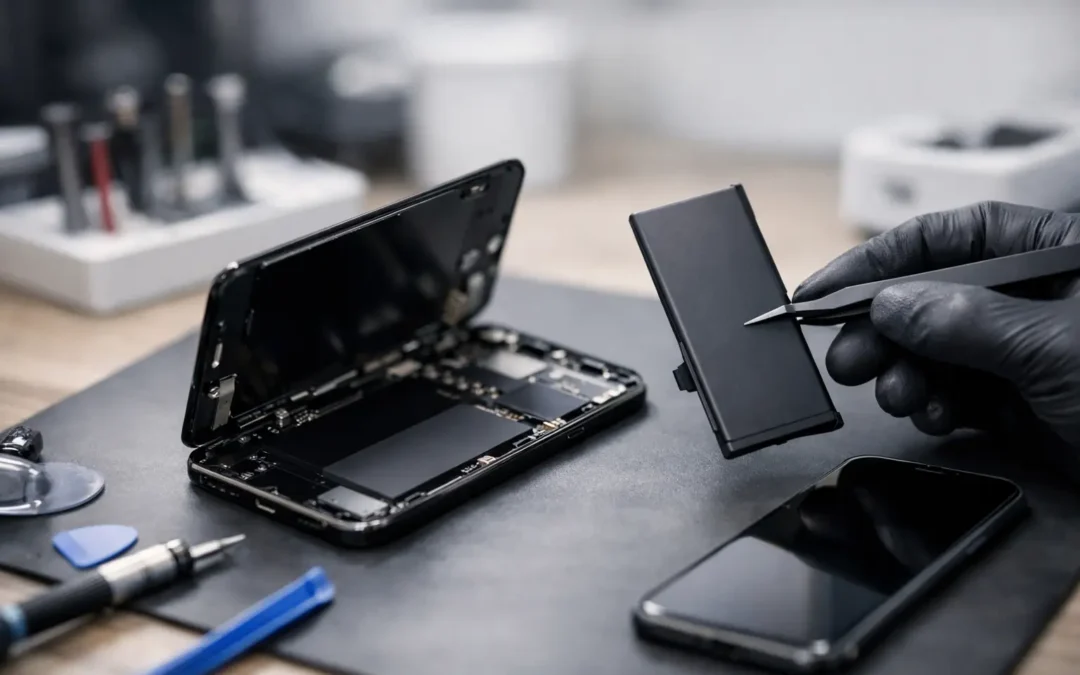
Your iPhone makes it through the morning, then drops from 35% to 8% before lunch. It slows down when you open a few apps, feels warm during ordinary use, or shuts off in the middle of a call. This iPhone battery replacement review looks at the real question Houston phone owners need answered: will a new battery make your phone dependable again, or is it time to replace the device?
For many people, battery replacement is one of the best-value repairs available. But it is not an automatic answer for every iPhone. The right decision depends on battery health, the phone’s overall condition, your model, and whether another issue is hiding behind the poor battery performance.
When an iPhone Battery Replacement Is Worth It
A battery is a consumable part. Every charge cycle gradually reduces its ability to hold power. That does not mean your iPhone suddenly becomes unusable, but it does mean the gap between a full charge and a dead phone gets shorter over time.
The clearest sign is found in Settings under Battery, then Battery Health & Charging. If maximum capacity is below 80%, replacement is usually worth serious consideration. A service warning in this area is another strong signal. Still, the percentage is not the whole story. A battery at 83% that drops quickly, overheats, or causes unexpected shutdowns may be more disruptive than the number suggests.
A replacement often makes sense when your screen, cameras, charging port, and buttons are working well. If you like your current phone and it still receives the software features you need, a battery repair can give it a useful second life without the cost and hassle of buying a new device.
It is especially practical for students who need reliable all-day access, parents coordinating work and family, and local business owners who cannot afford to miss calls, messages, or payment notifications. A phone that needs to stay plugged in all afternoon is not doing its job.
iPhone Battery Replacement Review: What Changes After Service?
The best result is not a phone that magically becomes brand new in every way. It is a phone with stable, predictable power again. After a quality battery replacement, most customers notice that their iPhone lasts longer between charges, stops making sudden percentage drops, and performs more consistently during normal use.
You may also see fewer slowdowns if the old battery had degraded enough to affect performance management. Apps should open normally, calls should not end because the phone powered off, and you should not have to carry a charger from room to room.
There are limits. A new battery will not fix a weak cellular signal, a damaged charging port, an app that drains power in the background, water damage, or a failing logic board. It also will not repair a cracked screen or make an older camera perform like a newer iPhone camera. A trustworthy technician should separate a battery issue from other problems before presenting battery replacement as the answer.
That honest diagnosis matters. If your phone loses charge only in one location, the issue could be poor signal strength. If it drains overnight after a new app installation, software or app activity may be the cause. If it only charges when the cable is held at an angle, inspect the charging port before assuming the battery is bad.
What a Good Battery Repair Service Should Include
Speed is helpful, but careful work matters just as much. A proper iPhone battery service begins with checking the device for swelling, charging problems, damage, and signs of liquid exposure. A swollen battery needs prompt attention. Do not press on the screen or continue charging a phone that is separating at the edges.
Before the repair, ask what type of replacement battery will be installed and whether the work includes a warranty. You should also ask how the shop handles any post-repair messages or battery-health display behavior that can occur on certain newer iPhone models. The answer should be direct and clear, not vague.
A good repair experience also protects your device during the process. Your data usually remains on the phone during a battery replacement, but backing it up beforehand is still smart. Any repair that requires opening a phone carries some risk, particularly if the phone has previous damage, a bent frame, or earlier third-party repairs.
Water resistance deserves an honest conversation, too. iPhones are built with seals, but no used phone should be treated as waterproof after years of drops, heat, wear, or prior repair. A professional repair shop takes care when resealing the device, yet you should continue to keep your phone away from pools, sinks, and heavy rain whenever possible.
Battery Replacement Versus Buying Another iPhone
Replacing the battery is usually the smarter move when the phone works well except for endurance. This is common with iPhone models that still meet your needs for photos, messaging, work apps, navigation, and security updates. Spending less to restore daily reliability can be far more sensible than replacing a phone simply because it needs two charges a day.
Buying another iPhone may be the better choice if the battery issue comes with several expensive repairs. A phone with a failing battery, badly cracked display, broken cameras, charging-port trouble, and water damage can quickly become a poor repair investment. The same is true if storage is constantly full, your model no longer supports the apps you need, or you need a major camera, speed, or connectivity upgrade.
Think about your actual pain point. If the only frustration is battery life, repair is often enough. If your phone interrupts work, struggles with the latest apps, has repeated hardware failures, and cannot hold a charge, replacing it may remove more than one problem at once.
How Long Does iPhone Battery Replacement Take?
For a common model with the part in stock, battery service can often be completed the same day. The exact timing depends on the iPhone model, store workload, device condition, and whether a technician finds a separate issue during inspection.
Houston customers should not have to mail out a phone and wait days or weeks just to get through a normal workday. Phone Repair Ambulance offers local service designed for people who need clear answers and quick help, whether they prefer a nearby location or need on-site support.
Do not choose a repair solely because it promises the fastest time. Ask whether the technician will test charging and basic device operation before returning the phone. A quick repair should still include quality checks. The goal is to leave with a phone that charges correctly and holds power reliably, not simply one with a new part inside.
How to Protect Your New iPhone Battery
Once the battery is replaced, you do not need to obsess over every percentage point. Modern iPhones are designed to manage charging intelligently. A few practical habits can reduce unnecessary strain: use a quality charging cable and adapter, avoid prolonged heat, update iOS regularly, and remove the case if the phone becomes unusually hot while charging.
Heat is the bigger concern for Houston users. Leaving an iPhone on a car dashboard, in direct sunlight, or inside a hot vehicle can damage battery health faster than ordinary charging. If your phone displays a temperature warning, let it cool down naturally rather than putting it in a refrigerator or freezer.
Also pay attention to sudden changes after the repair. Rapid drain, unusual warmth, charging interruptions, or a lifted screen are reasons to contact the repair provider right away. A dependable shop should be ready to inspect the phone and explain what is happening.
A battery replacement is not glamorous, but it can be the repair that makes your phone useful again. If your iPhone is otherwise in good shape, a careful local diagnosis and a quality new battery can turn a daily charging problem into one less thing you have to worry about.