
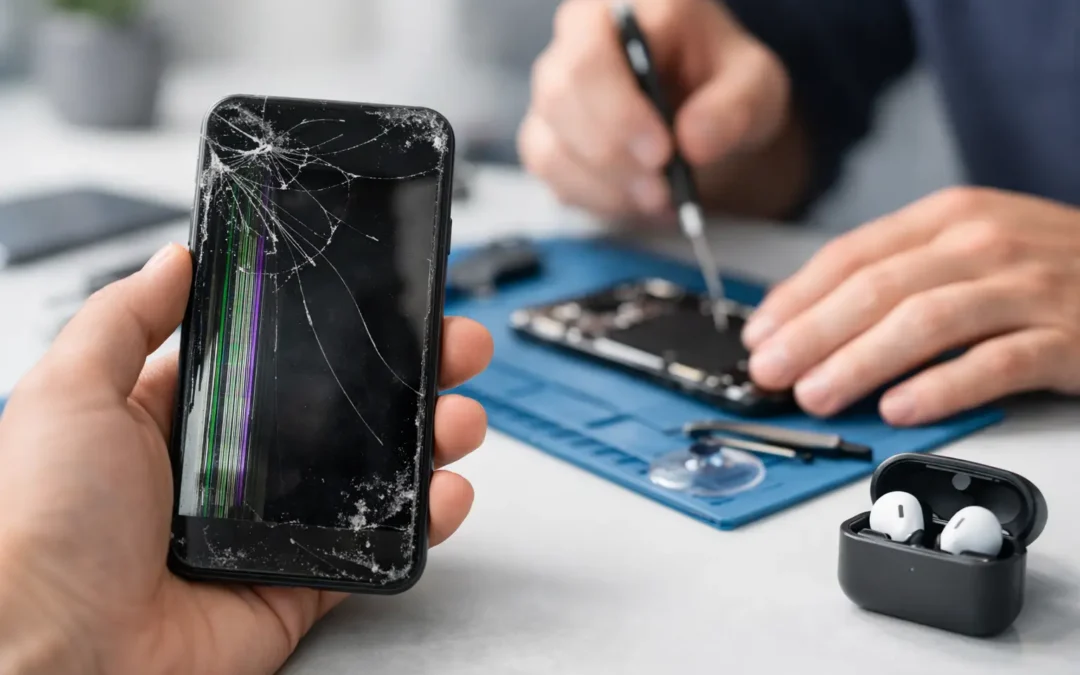
A cracked screen is obvious. A phone that suddenly gets hot, drops calls, or dies at 35% is easier to explain away. But waiting can turn a repairable problem into lost photos, missed work calls, or a phone that will not turn on at all. Knowing the top signs your phone needs repair helps you act while the fix is still straightforward.
For Houston families, students, and professionals, a phone is not a device you can casually set aside for a week. It is your map, wallet, camera, work line, school tool, and connection to everyone who needs you. Here is how to tell the difference between a minor annoyance and a problem that deserves a technician’s attention.
1. Your Screen Is Cracked, Flickering, or Lifting
A small crack may seem cosmetic, especially if the touch screen still works. The problem is that cracked glass removes a layer of protection from the display underneath. Moisture, pocket debris, and pressure can work their way into the opening, leading to dark spots, touch problems, or a complete display failure.
Do not ignore a screen that flickers, shows colored lines, has black ink-like patches, or responds only in certain areas. Those symptoms often point to display damage rather than just broken outer glass. If the screen is lifting away from the frame, stop pressing it back into place. A swollen battery can push the display upward, and that needs prompt attention.
2. Your Battery Drains Fast or Your Phone Shuts Down Early
Battery health declines over time, but a healthy phone should not lose a huge percentage of charge while sitting unused. If you are charging twice a day, carrying a power bank everywhere, or watching the battery fall from 40% to 5% in minutes, the battery may be worn out.
Unexpected shutdowns are another warning sign. Your phone may show 20% or 30% battery, then power off when you open the camera, make a call, or use an app. That can happen when an aging battery can no longer supply enough power during normal demand.
Before assuming the battery is bad, check for a recent software update or an app using unusual amounts of power. If the issue continues after updating and restarting the phone, a battery diagnostic is the practical next step. A failing battery is not just inconvenient. In rare cases, swelling or overheating can create a safety issue.
3. The Phone Gets Hot During Normal Use
Phones can warm up while charging, playing a graphics-heavy game, navigating in a hot car, or recording long videos. That is normal. What is not normal is a phone that becomes uncomfortably hot during a short call, while checking email, or when sitting idle on a desk.
Heat can come from a failing battery, charging port damage, software trouble, or a component working harder than it should. Remove the case, unplug the charger, and let the phone cool naturally. Do not place it in a refrigerator or freezer, which can introduce condensation.
If overheating keeps happening, especially with fast battery drain or a lifted screen, have it checked quickly. Continuing to charge and use an overheating phone can make the underlying damage worse.
4. Charging Is Slow, Intermittent, or Only Works at an Angle
When a charging cable slips out easily or only works if you bend it a certain way, the charging port may be packed with lint or damaged. Houston pockets, purses, work bags, and car consoles collect more debris than most people realize. Even a compact layer of lint can prevent the cable from seating fully.
Try a known-good cable and power adapter first. If multiple cables have the same problem, do not force the connector or dig aggressively into the port with metal tools. Pins inside the port are delicate, and a simple cleaning issue can become a more expensive port repair.
Wireless charging can sometimes still work when a charging port has failed, but it is not a complete solution. You may still need the port for data transfer, accessories, or reliable power when you are away from a charging pad.
5. Your Phone Has Water Exposure, Even if It Still Works
A phone dropped in a sink, pool, toilet, or rainstorm needs attention even when it turns back on. Water resistance is not the same as waterproofing, and seals weaken with age, drops, heat, and previous repairs. Liquid can also enter through a cracked screen, speaker grille, SIM tray, or charging port.
If your phone gets wet, power it off if possible, remove the case, and do not plug it in. Do not use a hair dryer, put it in rice, or repeatedly test whether it still works. Rice does not remove corrosion, while heat can damage components and push moisture deeper into the device.
The biggest risk is delayed corrosion. A phone may appear fine for a day or two, then develop charging problems, camera fog, speaker distortion, or random restarts. Fast professional cleaning and damage assessment give you the best chance of protecting the phone and the data on it.
6. Calls Drop, Wi-Fi Fails, or Bluetooth Keeps Disconnecting
One bad call in a parking garage does not necessarily mean your phone is broken. Repeated signal issues in places where other phones work are different. If Wi-Fi will not stay connected, Bluetooth drops from your car or earbuds, or cellular service disappears after a drop, there may be antenna, software, or board-level damage.
Start by restarting the phone and checking whether a carrier outage is affecting your area. You can also test with another Wi-Fi network and update the operating system. If the problem began right after a fall, water exposure, or repair attempt, a technician should inspect the hardware rather than relying on temporary resets.
7. The Camera, Speaker, or Microphone Stops Working Right
Blurry photos are not always a camera problem. Clean the lens and remove any case or screen protector that covers it. But camera shaking, a black camera preview, focus that never locks, or a lens that rattles after a drop can signal damaged camera hardware.
The same goes for audio. Muffled speakers may be caused by debris or water, while callers who cannot hear you may point to a blocked or failed microphone. Test calls on speakerphone, record a short voice memo, and try headphones. Those quick checks help narrow down whether the issue is with one component or the phone more broadly.
8. Touch Controls Lag, Ghost Touches Appear, or Buttons Fail
A phone that opens apps on its own, types random characters, or refuses to register taps is not something to live with. Ghost touches often follow screen damage, moisture exposure, or a failing display. They can also create a security problem if the phone enters the wrong passcode too many times.
Physical buttons deserve the same attention. A stuck power button can cause restart loops, while broken volume buttons make it harder to manage calls, alerts, and accessibility features. If your phone is still usable, back it up before the issue worsens.
9. Apps Crash Constantly or Storage Is Always Full
Not every slow phone needs a repair. A nearly full storage drive, too many browser tabs, an outdated operating system, or a problematic app can make even a newer phone feel unreliable. Clear unused downloads, delete apps you no longer use, restart the device, and install available updates.
However, constant crashing combined with random restarts, overheating, or error messages after liquid damage can be more than a storage issue. If the phone cannot complete updates, will not back up, or keeps freezing at the logo screen, it is time for a professional diagnosis. Do not factory reset until you have tried to preserve important data, if possible.
10. Your Phone Has Been Dropped and Now Behaves Differently
A phone can survive a drop with no visible crack and still have internal damage. A loose connection may cause the screen to flash later, the camera to stop focusing, or Face ID, fingerprint recognition, and other sensors to fail. Problems that come and go after an impact are still problems.
Pay attention to timing. If a new issue started immediately after a fall, do not assume it is unrelated because the outside looks fine. Early inspection can prevent a loose part, bent frame, or damaged battery connection from becoming a total failure.
When to Stop Troubleshooting and Get Help
Basic troubleshooting has a place: restart the phone, update software, test another charger, free storage, and check for obvious debris. But do not keep experimenting when there is heat, swelling, water exposure, a lifting screen, burning smell, or repeated shutdowns. Those are urgent signs to power the device down and seek repair.
For less urgent problems, the deciding factor is usually reliability. If your phone cannot get you through a workday, make a dependable call, hold a charge, or protect your photos and messages, the issue is already affecting your life. Phone Repair Ambulance can diagnose common iPhone, Samsung, and other smartphone issues with same-day local service options in Houston.
A phone rarely fails at a convenient moment. Address the warning signs while you can still choose a quick repair, back up what matters, and get back to the people and work waiting for you.